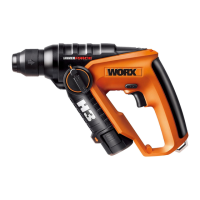
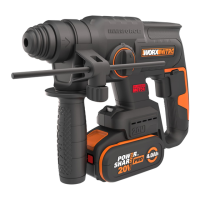
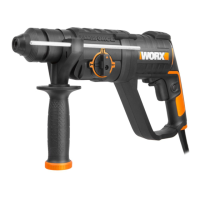
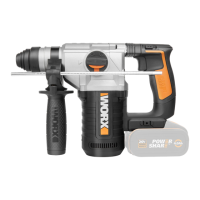
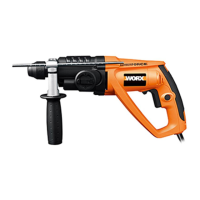
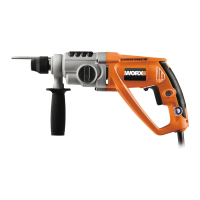
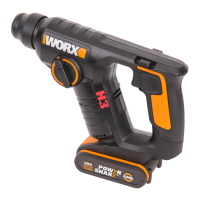
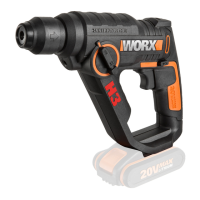
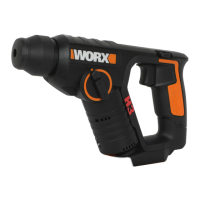
The document describes the WORX Cordless Rotary Hammer, models WX382, WX382.1, WX382.2, WX382.3, and WX382.4. This is a comprehensive safety and operating manual, providing detailed information on the tool's function, technical specifications, usage, and maintenance.
Function Description
The WORX Cordless Rotary Hammer is primarily designed for hammer drilling in concrete, brick, and stone. Beyond its primary function, it is also suitable for drilling without impact in wood, metal, ceramic, and plastic. Models with electronic control and right/left rotation are additionally capable of screwdriving. The tool features a "HAMMERFORCE" mechanism, indicating its powerful impact capability.
Key components include:
- Dust Protection Cap (1): Protects the tool holder from dust.
- Tool Holder Locking Sleeve (2): Used for inserting and removing drill bits.
- Forward and Reverse Rotation Control (3): Allows selection of drilling direction.
- On/Off Switch (4): Activates and deactivates the tool, with variable speed control.
- Carabiner Clip Hook (5): For convenient storage or carrying.
- Battery Pack (6): The power source for the cordless tool.
- Battery Pack Release Button (7): Used to remove the battery pack.
- Function Mode Selection Switch (8): Allows selection between hammer drilling and rotary drilling modes.
- LED Light (9): Illuminates the work area and serves as a battery capacity indicator.
- Screwdriver Bits (10), SDS Drill Bits (11), HSS Drill Bit (12): Various accessories for different applications.
- Keyless Chuck with SDS Adaptor (13): Allows for the use of different drill bit types.
- Unlocking Button (15): Used in conjunction with the function mode selection switch.
The tool's operation involves selecting the appropriate function mode (hammer drilling or rotary drilling), inserting the correct drill bit, and controlling the speed via the variable speed on/off switch. The forward and reverse rotation control enables screwdriving and bit removal.
Important Technical Specifications
The technical data provided covers the various models (WX382, WX382.1, WX382.2, WX382.3, WX382.4), which are designated as machinery representative of a Hammer Drill.
- Voltage: 12V === (DC)
- No Load Speed: 0-900/min
- Impact Rate: 0-4800bpm (blows per minute)
- Impact Energy: 1.0J (Joule)
- Battery Type: Li-Ion Powershare (WA3503)
- Charger Time:
- 3hr (for WX382, WX382.1, WX382.3, WX382.4)
- 30min (for WX382.2)
- Battery Capacity: 1.3Ah Li-Ion
- Battery Pack Quantity:
- 1 (for WX382, WX382.2, WX382.4)
- 2 (for WX382.1, WX382.3)
- Max. Drilling Capacity:
- Steel: 8mm
- Wood: 10mm
- Masonry: 10mm
- Machine Weight (without battery): 1.15kg
Noise Information:
- A-weighted sound pressure: 84dB(A)
- A-weighted sound power: 95dB(A)
- Uncertainty KpA & KwA: 3.0dB(A)
- Wear ear protection when sound pressure is over 80dB(A).
Vibration Information (determined according to EN 60745):
- Hammer drilling into concrete:
- Vibration emission value ah,hd = 8.51m/s²
- Uncertainty K = 1.5m/s²
The manual warns that the vibration emission value during actual use can differ based on usage, materials, tool condition, and accessory use.
Usage Features
The WORX Cordless Rotary Hammer offers several features to enhance usability and safety:
- Cordless Operation: Powered by Li-Ion battery packs, providing portability.
- Variable Speed Control: The on/off switch allows users to vary the speed by adjusting trigger pressure, offering greater control for different tasks.
- Forward and Reverse Rotation: Essential for screwdriving and for easily removing jammed drill bits.
- Function Mode Selection: A dedicated switch allows users to easily switch between hammer drilling (for concrete/masonry) and rotary drilling (for steel, wood, plastics, screwdriving). This switch should only be actuated when the tool is at a standstill.
- LED Light: Improves visibility in dark or enclosed workspaces. It also flashes when the battery power is low, serving as a convenient battery capacity indicator.
- Battery Protection Systems:
- Deep Discharging Protection: The Li-Ion battery is protected from deep discharge. When the battery is empty, the tool automatically switches off, and the inserted tool stops rotating.
- Temperature Dependent Overload Protection: If the load is too high or the battery temperature exceeds 75°C, the electronic control switches off the tool until the temperature returns to the optimum range.
- SDS Chuck System: Facilitates quick and secure insertion and removal of SDS drill bits. The manual emphasizes using only high-quality SDS bits due to the powerful forces generated by the tool.
- Keyless Chuck with SDS Adaptor: Allows for versatility in using standard HSS drill bits in addition to SDS bits.
- Ergonomic Design: The tightness of the grip on the handles and the use of anti-vibration accessories can influence user comfort and exposure to vibration.
Maintenance Features
Proper maintenance is crucial for the tool's longevity and safe operation:
- Battery Pack Removal: Always remove the battery pack before performing any adjustments, servicing, or maintenance.
- Lubrication: The power tool itself requires no additional lubrication or maintenance, except for the cleaning and lubrication of SDS bits and adaptors before insertion into the chuck.
- Cleaning:
- Never use water or chemical cleaners on the power tool.
- Wipe the tool clean with a dry cloth.
- Keep the motor ventilation slots clean and free of dust.
- Ensure all working controls are free of dust.
- The manual notes that occasional sparks through ventilation slots are normal and do not damage the tool.
- Storage: Store the power tool in a dry place.
- Accessory Care: Always use sharp chisels, drills, and blades. Maintain them in good condition.
- User Serviceable Parts: There are no user-serviceable parts in the power tool. Any repairs should be performed by a qualified repair person using identical replacement parts to ensure safety.
- Battery Pack Disposal: Do not dispose of batteries with household waste. Return exhausted Li-Ion battery packs to a local collection or recycling point. Discharge the battery pack by operating the tool, then remove it and cover the connections with heavy-duty adhesive tape to prevent short circuits. Do not attempt to open or remove any components of the battery pack.
The manual also provides troubleshooting advice for "Reasons for Different Battery Pack Working Times," explaining that prolonged non-use or heavy working conditions can affect battery performance, and that charging outside the 0°C to 30°C range will affect performance. It recommends purchasing accessories from the same store that sold the tool, ensuring good quality, and seeking advice from store personnel.

 Need help?
 General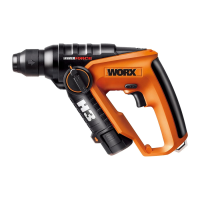

 To Next Page