52
Creating, saving and playing back paths
Creating,.saving.and.playing.back.paths
You.can.create.up.to.ten.paths.for.Rovio.to.remember.and.play.back.A.path.can.be.made.up.of.
several.actions.in.any.order,.including:
A.route.that.Rovio.drives.•.
Moving.the.camera.position•.
Taking.and.emailing.a.photo•.
Creating.paths
To.create.a.path:.
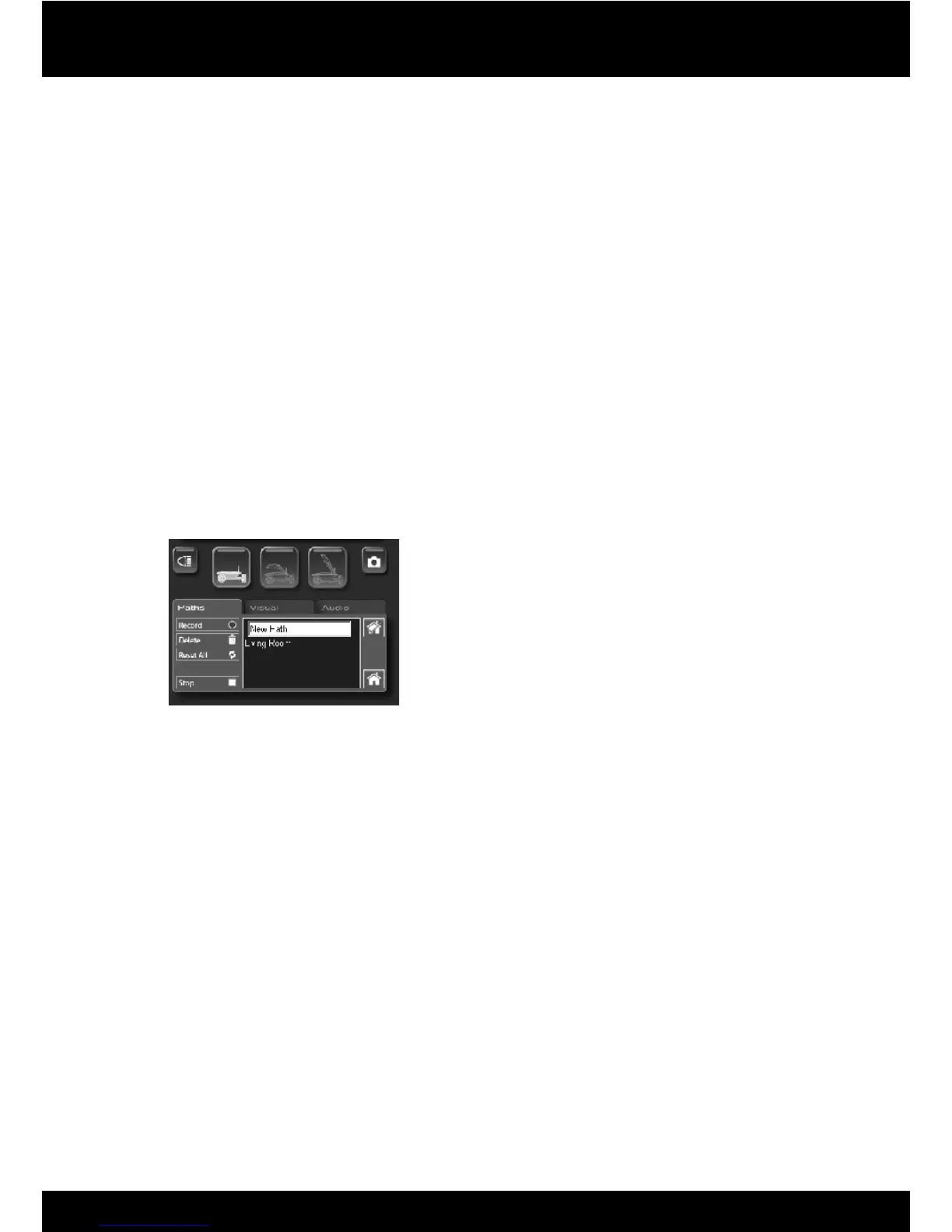
1. On.the.Paths.tab.in.the.interface,.click.on.the.Record.button.to.begin.recording.your.path.
2. Drive.your.Rovio.to.the.location.you.want.the.path.to.go.
3.. Click.on.the.Save.Path.button.to.stop.recording.and.save.the.path.You.will.be.prompted.to.
name.the.path.(default.name.is.New.Path).The.path.will.be.saved.to.Rovio’s.memory.
4.Repeat.for.any.other.paths.you.want.to.create.
NOTES
•. If.you.click.on.the.Stop.button.while.recording.a.path.it.will.cancel.the.recording.function.
without.saving.the.path
For.large.areas,.multiple.rooms,.and/or.areas.with.many.walls,.you.should.set.up.multiple.•.
TrueTrack.Room.Beacons.(sold.separately).
Renaming.paths
To.rename.a.path:.
Click.on.the.path.from.the.list.to.select.it,.and.then.cllick.on.the.name.again.to.edit.it.When.you.•.
are.done.renaming.it,.press.Enter.or.click.elsewhere.in.the.interface.


 To Next Page