Usage
3.Unlock & Lock!
3.1. Unlock!
•
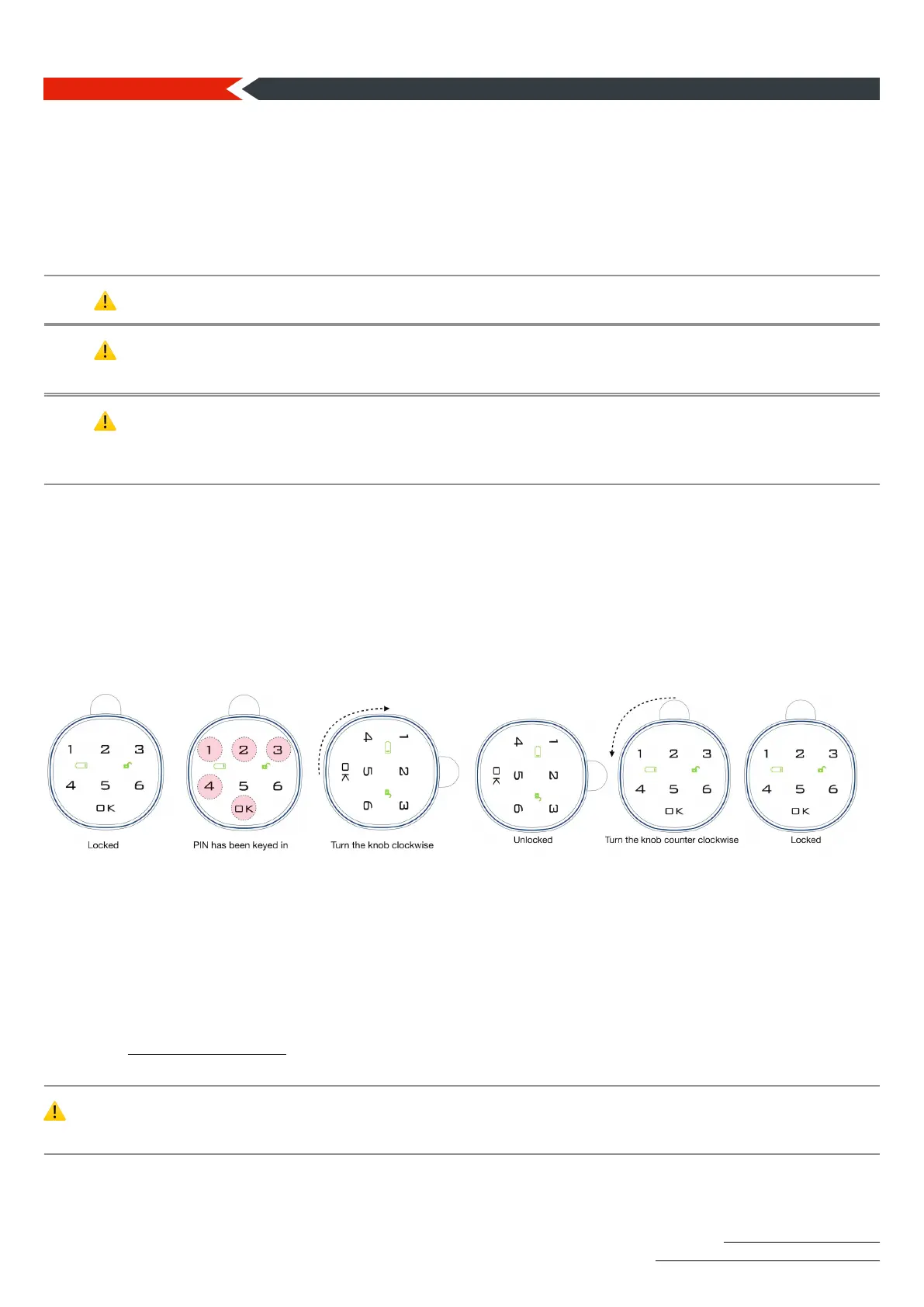
Enter your user PIN and tap OK.!
•
The unlock light turns on and you hear a beep.!
•
The lock body becomes free. You can unlock the lock by turning the lock body clockwise.!
⚠ You will hear 3 beeps if you entered the wrong user PIN.
⚠ If your battery is running low, the low battery light turns on during unlocking. In this case, you must
replace the battery. If the low battery indicator is lit, it may cause the lock to fail.
⚠ You can change the battery to unlock a completely dead lock, connect a power bank or an adapter
with Micro USB output to the Micro USB port at the bottom of the lock to unlock it again. Remember,
saved PIN’s will not be deleted even if the battery runs out.
3.2. Lock!
" Turn the lock body counterclockwise to lock it.!
Usage: Schematic
4. Unlocking & Locking!
4.1.Unlocking 4.2.Locking!
Forget PIN
5. Forget the user password!
5.1.
If you forgot the user PIN and remember the administrator PIN: Enter the admin PIN and tap OK.
The user password will return to 1 2 3 4.!
5.2.
If you have forgotten the administrator PIN, send the serial number next to the battery box to
bilgi@securiturk.com. If we verify your identity, we will send you the factory reset PIN. When you
enter the factory reset PIN, the lock will return to the factory settings.!
⚠ When you enter the wrong PIN 4 times, the keypad will automatically lock for 1 minute for security
purposes and alarm will sound 3 times. During 1 minute lockout, the touch panel will not be available.


 To Next Page