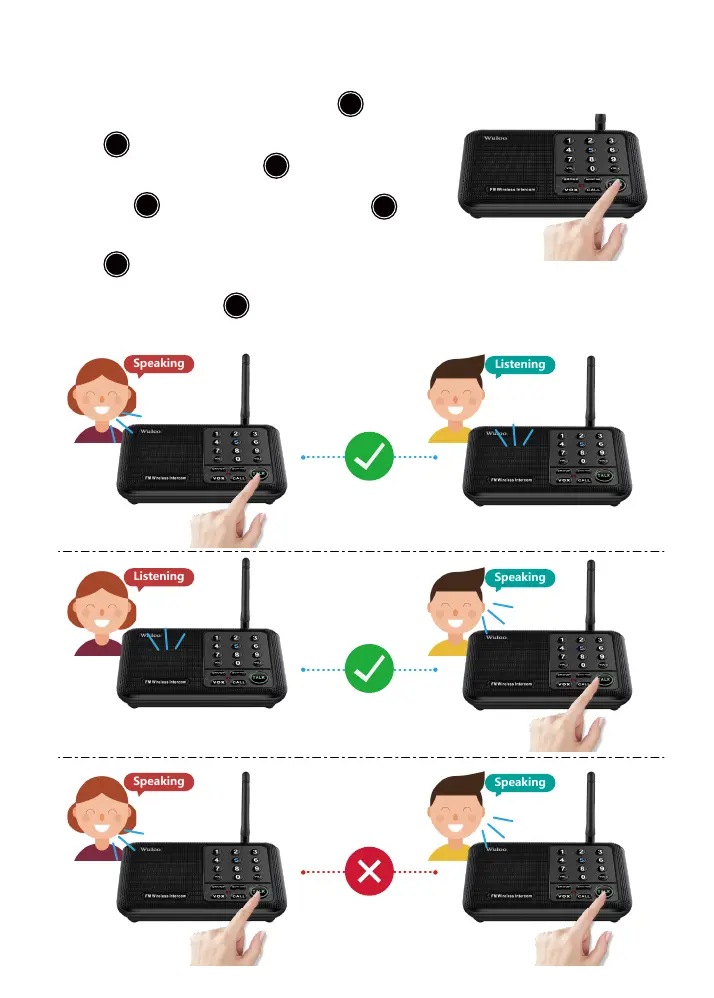
Speaking
Listening
Speaking
Speaking
Speaking
Listening
Press & Hold to talk;
Click is invalid.
2.6 Notes
1. You will need to press and hold the TALK button when
you want to speak to another user. Simply clicking the TALK
button is an invalid entry;
2. You cannot press the TALK button on both sides of the
system at the same time. One side may press and hold the
TALK button to speak, then release the TALK button
after they have finished their message. The other side can
then answer your message by pressing and holding the TALK
button and repeating the same steps. You will not be
able to hear the other user’s voice if both sides are pressing
and holding the TALK button at the same time.
TALK
TALK
TALK
TALK
TALK
TALK
TALK


 To Next Page