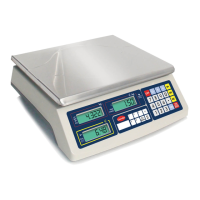
WUNDER SA.BI.SRL USER MANUAL
ASEP-ASEP-P INOX REV.01 15/12/2016 11
5.12.2 Turn Backlight On: - Continuous Mode
Press 2 and then press ON/ZERO to turn backlight on.
Under this mode, the backlight will remain on until it is manually turned off (by 5.12.3 method) or a new backlight
command (5.12.1) is entered.
5.12.3 Disable Backlight
Press 0 and then press ON/ZERO to disable backlight.
NOTE: Change backlight settings before applying unit price.
5.13 RECHARGE THE SCALE
When the LOW BATTERY INDICATOR appears, recharge the scale immediately. Failure to do so may cause unrecoverable
damage to the rechargeable battery.
6. PRINTER AND RS232C INTERFACE
The ASP series are equipped with standard printer interface, and optional RS232 interface. Both interfaces will give the
same data output, however, RS232 will not transmit any data to computer unless the scale is connected to a printer.
Below is the data output format for both interfaces. Please refer to the notes for more information.
Ser kg EURO/kg Subt. NOTE 1
01. 0.200 25.64 5.13 NOTE 2
02. 0.215 56.00 12.04
02. --- --- -12.04 NOTE 3
04. +++ 392.00 NOTE 4
03/ TOTAL(EURO): 397.13 NOTE 5
PAY(EURO): 400.00 NOTE 6
Change(EURO): 2.87
NOTE 1: This is the standard heading which includes the order of transaction, weight, currency and subtotal.
NOTE 2: This transaction shows the weight, unit price per kg and the subtotal amount for the article.
NOTE 3: This line means the second article is erased from memory. Please refer to 5.9.4 for how to clear transaction
from memory.
NOTE 4: This line is the output format of non-weighed article. Please refer to 5.8 for more information.
NOTE 5: When clear the memory by pressing MC, the output data will show the total amount and number of
transactions.
NOTE 6: The pay and change data will only appear when the pay/change function is activated. Please refer to 5.10 for
more information.


 To Next Page
 Loading...