- 11 -
Note: If the machine is power off and locked, before you power on the machine, you
should unlock it.
4
4
4
.
.
.
8
8
8
M
M
M
a
a
a
i
i
i
n
n
n
M
M
M
e
e
e
n
n
n
u
u
u
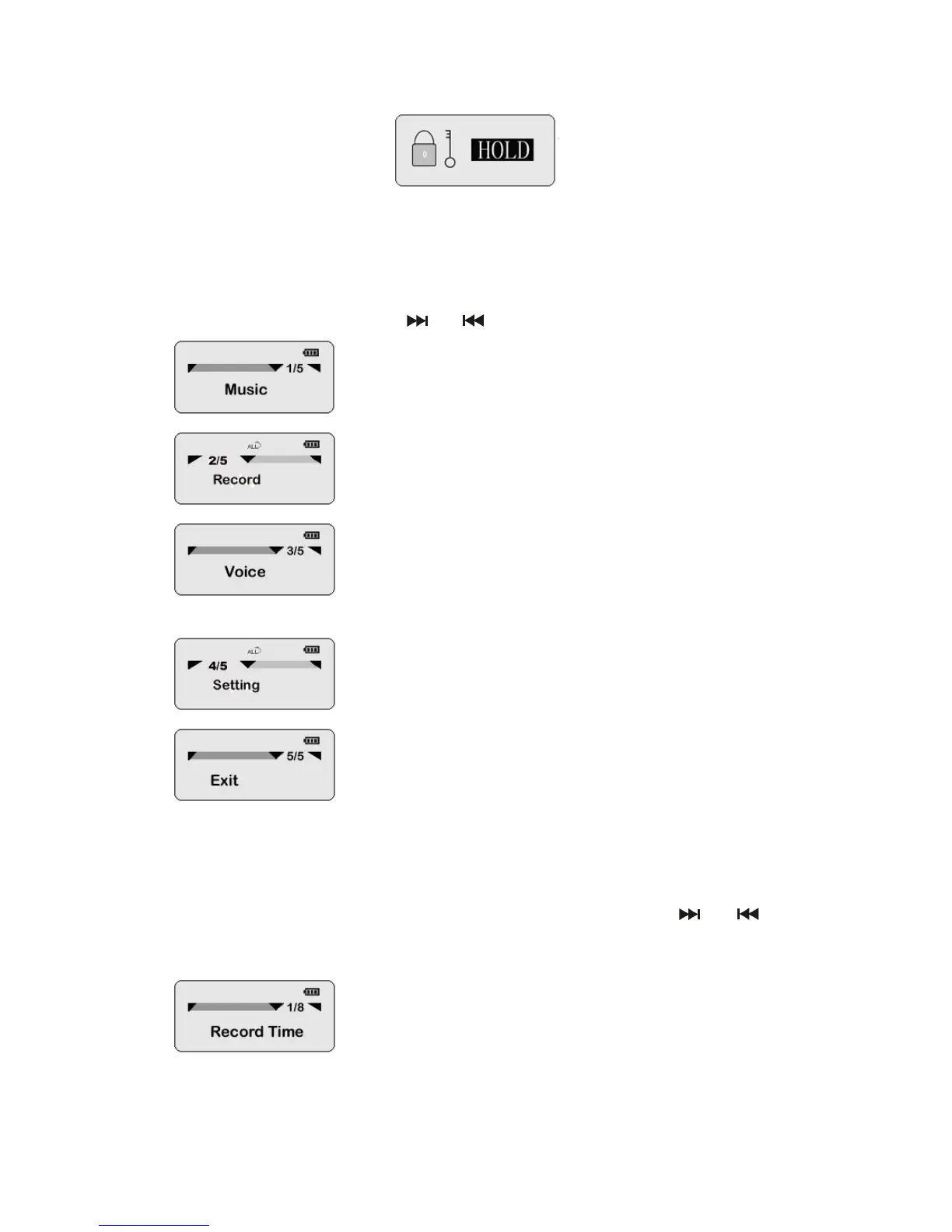
You can press Mode key for 3-5 seconds to enter the main menu anytime. This
menu contains 5 items. Press “
”or “ ”to select the menu item, see illustration:
Enter the music directory to play MP3/WMA files,.
Select this item to enter record mode.
Select this item to enter the voice directory where
you can play voice recording files.
Select this item to enter the system setting menu.
Exit the main menu.
4
4
4
.
.
.
9
9
9
S
S
S
y
y
y
s
s
s
t
t
t
e
e
e
m
m
m
s
s
s
e
e
e
t
t
t
t
t
t
i
i
i
n
n
n
g
g
g
m
m
m
e
e
e
n
n
n
u
u
u
When you select the “sys function” item in the main menu, you will enter the system
setting menu:
There are 8 submenus in the system setting menu. You may use “
”or “ ”to
select the menu item and then press the mode key to confirm your selection. See
the following illustration:
Here will show the odd record time as you select it.



 To Next Page