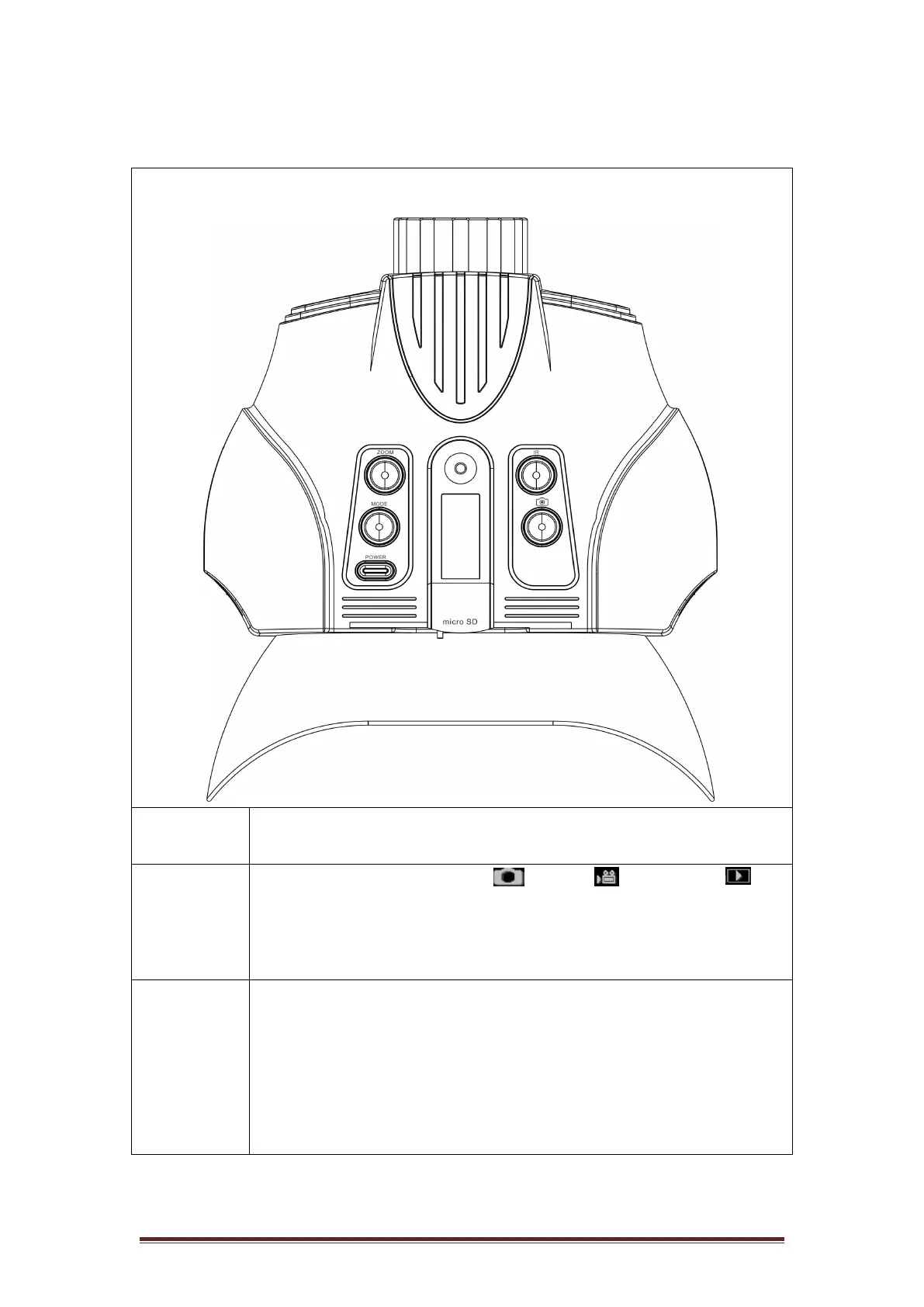
2. About the Binocular
● There are 4 modes: Photo / Video / Playback /
Menu (in a loop).
● When the power is on, the default mode is Photo.
● Press Mode to change to the next mode.
● Under Photo and Video Mode, Press zoom to zoom in at
multiple levels: 3X, 4.5X and 6X. Once reaching 6X, keep
pressing zoom to go back to 3X.
● Under Playback mode: Press Zoom to playback to the next
file.
● Under Menu mode: Press Zoom to go up.


 To Next Page