The X9RFBTACECB is a versatile rechargeable wireless keyboard and mouse combo designed for seamless use across three devices: PCs, iPhones, iPads, and Android smartphones and tablets. This combo offers a quick-switching capability, allowing users to effortlessly transition between connected devices with a single touch. Whether you're working on a computer, sending messages on a smartphone, or enjoying videos on a tablet, this keyboard aims to be the only one you need for all your applications, enhancing productivity and convenience.
The keyboard features thin keycaps, providing a sensitive and responsive touch for a comfortable and faster typing experience. Both the keyboard and mouse are equipped with built-in Lithium-Ion rechargeable batteries, eliminating the need for frequent battery changes and saving users from the hassle and cost associated with disposable batteries.
Function Description:
The primary function of the X9RFBTACECB combo is to provide a wireless input solution (keyboard and mouse) that can connect to and switch between up to three different devices using either Bluetooth or RF (Radio Frequency) technology. This multi-device capability is a core feature, allowing users to manage multiple platforms with a single set of peripherals. The keyboard supports both Function key mode (F1-F12) and Shortcut mode, which can be toggled using the Fn Lock key. In Shortcut mode, the top row keys perform specific functions like media control, display brightness adjustment, and common editing commands (copy, paste, cut). The mouse provides standard pointing and clicking functionality, complementing the keyboard for a complete input experience.
Usage Features:
- Quick Switching: The keyboard allows for one-touch quick switching between three connected devices. Users can assign different devices to specific channels (RF, Bluetooth B1, Bluetooth B2) and switch between them by pressing the corresponding channel key briefly.
- Dual Connectivity: The combo supports both RF (2.4GHz wireless) and Bluetooth connections. The RF connection utilizes a USB dongle, which is stored in the mouse's bottom compartment, making it convenient for use with PCs. Bluetooth connectivity is ideal for smartphones and tablets.
- Rechargeable Batteries: Both the keyboard and mouse come with built-in Lithium-Ion rechargeable batteries. This eliminates the need for disposable batteries, offering a more environmentally friendly and cost-effective solution. A charging cable is included for easy recharging.
- Sleep Mode for Battery Conservation: To extend battery life, both the keyboard and mouse are designed to enter a sleep mode when inactive for a period. They can be woken up by tapping the space key on the keyboard or clicking a mouse button.
- Fn Key and Fn Lock Mode: The keyboard features an "fn" key and an "Fn Lock" key. Pressing "fn" simultaneously with a top-row key performs the secondary function (shortcut). The "Fn Lock" key allows users to toggle between Function key mode (F1-F12) and Shortcut mode, providing flexibility based on user preference.
- Shortcut Keys: The keyboard includes 14 shortcut keys, with 12 blue-colored ones requiring simultaneous "fn" key press in Fn Lock mode (or direct press in shortcut mode). These shortcuts cover essential functions like Mute, Volume Up/Down, Previous/Next Track, Play/Pause, Display Brightness adjustment, Select All, Copy, Paste, and Cut. Additionally, there are shortcuts for Search/Fn lock and Home (near the OFF/ON switch).
- Pairing Process:
- RF Connection: For RF connection, the USB RF receiver dongle is plugged into the computer. The mouse and keyboard are then turned on and brought close to the dongle. The mouse connects automatically after pressing its push button to select the RF channel. The keyboard connects after pressing its RF channel key until its LED shows green.
- RF Resync (Troubleshooting): If the RF connection fails or a new dongle is used, a resync procedure is available. This involves unplugging the dongle, turning on the keyboard, pressing the RF channel key until its LED is solid green, then holding Esc and = keys for 3 seconds until the RF channel LED flashes green. The dongle is then immediately plugged in, and the keyboard is brought close to it for successful resync.
- Bluetooth Pairing (Windows PC): To pair with a Windows PC, an unused Bluetooth channel key (B1 or B2) is selected and held for 2-3 seconds until its LED flashes blue faster, indicating pairing mode. The user then navigates to Bluetooth settings on the PC, adds a new Bluetooth device, and selects "Bluetooth Keyboard X9RFBTACE" to connect.
- Bluetooth Pairing (iPhone/iPad): For iPhone/iPad, an unused Bluetooth channel key (B1 or B2) is selected and held for 2-3 seconds until its LED flashes blue faster. The user then opens "Settings" > "Bluetooth" on their device, turns on Bluetooth, and selects "X9RFBTACE" when it appears.
- Bluetooth Pairing (Android Smartphones/Tablets): For Android devices, an unused Bluetooth channel key (B1 or B2) is selected and held for 2-3 seconds until its LED flashes blue faster. The user opens "Settings" > "Connected devices" > "Bluetooth" > "Pair new device" on their Android device, and selects "X9RFBTACE" when it appears.
- Indicators: The keyboard features several LED indicators: On/Off switch, Channel Bluetooth B1 Indicator, Channel Bluetooth B2 Indicator, Channel RF Indicator, Caps Lock Indicator, and a Charging Indicator (Red for charging, Green for full). These indicators provide visual feedback on the device's status and connectivity.
Maintenance Features:
- Rechargeable Design: The built-in rechargeable Lithium-Ion batteries simplify maintenance by eliminating the need to purchase and replace disposable batteries. Users only need to connect the included charging cable when the battery runs low.
- Sleep Mode: The automatic sleep mode helps conserve battery power, reducing the frequency of recharging and extending the overall lifespan of the battery.
- User Guide: The comprehensive user guide provides detailed instructions for setup, pairing, and troubleshooting, enabling users to maintain and operate the device effectively.
- Technical Support: X9 Performance offers technical support via email and phone, providing assistance for any issues or questions users might encounter, ensuring proper functioning and longevity of the product.
- Warranty: The product comes with a one-year warranty against defects in title, materials, and manufacturing workmanship, offering peace of mind and support for potential hardware issues. This allows for repair or replacement if the product is found to be defective under normal use conditions.

 Need help?
 General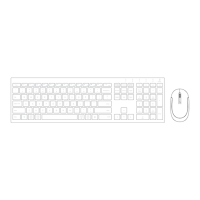

 To Next Page