
 Need help?
Do you have a question about the Xerox ColorQube 8580 and is the answer not in the manual?
Details the serial number format for 8570/8870 models, including product code and revision.
Explains the serial number format for 8580/8880 models, differentiating western/eastern hemispheres.
This document is a service manual for the Xerox ColorQube 8570/8580/8870/8880 printer series, providing comprehensive information for maintenance, troubleshooting, and parts replacement. It is intended for Xerox internal use, ensuring that service personnel have the necessary details to keep these devices operating efficiently. The manual is structured to guide technicians through various aspects of the printer's components and systems, from basic fault code interpretation to detailed parts lists and assembly diagrams.
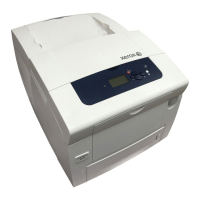
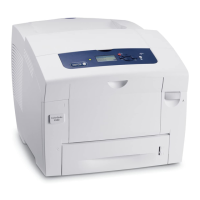
The Xerox ColorQube 8570/8580/8870/8880 series are solid ink printers designed for office environments, known for their vibrant color output and efficient operation. Unlike traditional laser or inkjet printers, these devices use solid ink sticks that are melted and jetted onto a print drum, then transferred to paper. This technology is recognized for producing consistent color quality, reducing waste, and offering a simpler supply management process. The printers are capable of handling a variety of media types and sizes, making them versatile for different printing needs, from standard documents to marketing materials.
The core function of these printers is to produce high-quality color and monochrome prints. They incorporate several subsystems to achieve this, including an imaging system responsible for applying ink to the paper, a paper path system for accurate media handling, and a drive system that orchestrates the movement of various components. An electrical system powers and controls all operations, while an array of sensors and actuators ensures precise timing and feedback throughout the printing process.
The ColorQube 8570/8580/8870/8880 printers are designed for ease of use in a professional setting. Users interact with the device through a control panel, which allows for job submission, status monitoring, and basic configuration. The solid ink stick loading process is intuitive and clean, with color-coded sticks that can be dropped into designated slots, even while the printer is in operation. This "drop-in" loading mechanism minimizes downtime and simplifies supply replenishment.
The printers support various paper handling options, including a main paper tray and a multi-purpose tray (MPT) for specialized media. Optional accessories, such as additional paper feeders, can expand the printer's capacity and versatility. Connectivity options typically include USB and Ethernet, allowing for integration into diverse network environments. Some models may also support wireless connectivity through optional adapters, providing greater flexibility in placement and access.
For advanced users and administrators, the printers offer network management capabilities, allowing for remote monitoring, configuration, and diagnostics. This facilitates efficient resource allocation and proactive maintenance in larger office settings. The solid ink technology also contributes to a cleaner office environment compared to toner-based systems, as there are no cartridges to dispose of, only small, recyclable ink stick packaging.
The service manual highlights several key aspects of maintaining the ColorQube 8570/8580/8870/8880 printers. It provides detailed exploded diagrams and parts lists for various subsystems, enabling technicians to identify and replace specific components. The fault code structure, exemplified by codes like "72,973" or "C3T62," is crucial for diagnosing issues quickly and accurately. These codes direct service personnel to the relevant sections of the manual for troubleshooting steps.
Routine maintenance items, such as drum maintenance units and waste trays, are listed with their part numbers, indicating that these are user-replaceable or regularly serviced components. The manual also details the serial number format, which is essential for ordering correct parts and tracking device configurations. Different serial number encoding schemes are provided for 8570/8870 and 8580/8880 models, distinguishing between product codes, revision levels, and manufacturing locations.
The parts lists are categorized by functional areas:
The manual also includes a section on "Xerox Supplies and Accessories," which lists consumable ink sticks, maintenance kits (standard and extended capacity), and optional hardware like additional paper feeders, wireless network adapters, and productivity kits (SSD or DDR3 cards). Power cords for various regions are also specified. Special tools, such as a screwdriver bit, serial adapter cables for back channel traces, and a printhead ZIF connector unlock/lock tool, are also listed, indicating the specialized equipment required for certain service procedures.
The comprehensive nature of this service manual ensures that technicians have all the necessary information to perform diagnostics, repairs, and routine maintenance, thereby maximizing the uptime and longevity of the Xerox ColorQube 8570/8580/8870/8880 printer series.
 General
| Print Technology | Solid Ink |
|---|---|
| Print Speed (Black & Color) | Up to 51 ppm |
| Monthly Duty Cycle | Up to 85, 000 pages |
| Standard Paper Capacity | 625 sheets |
| Duplex Printing | Automatic |
| First Page Out (Black & Color) | As fast as 5 seconds |
| Memory (Maximum) | 2 GB |
| Connectivity | USB 2.0 |
| PDL | PostScript 3, PDF |
| Print Resolution | Up to 2400 FinePoint |




 To Next Page


