2
How to Install
1
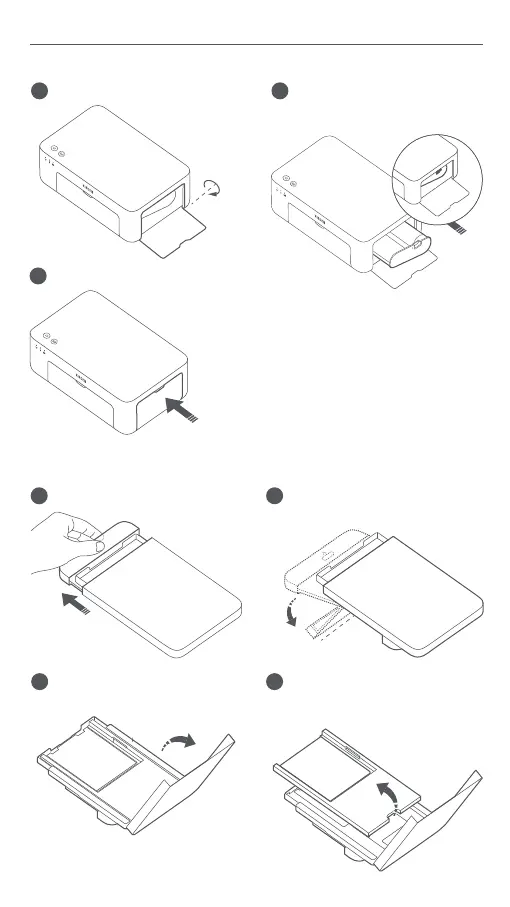
Installing the Ribbon
Open the ribbon compartment.
2
Insert a new ribbon and make
sure it is secured.
3
Close the ribbon compartment.
90°
Note: Li the red lever above the ribbon
to remove the ribbon.
1
Pull the paper tray holder open.
2
Rotate the holder vertically till it
snaps to the paper tray boom.
Loading 6" Photo Paper
4
Remove the 3" sticky-backed
photo paper and the 3" paper
holder.
3
Open the paper tray cover.


 To Next Page