3
5
Close the paper tray cover.
1
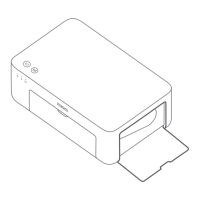
Pull the paper tray holder open.
2
Rotate the holder vertically till it
snaps to the paper tray boom.
Loading 6" Photo Paper
4
Remove the 3" sticky-backed
photo paper and the 3" paper
holder.
6
Close the paper tray cover.
Load photo paper into the paper
tray with the glossy side facing up.
5
3
Open the paper tray cover.
Note: The printer may not feed paper if
more than 20 sheets of 6" photo paper
are loaded. Do not touch the area within
the cuing lines of the photo paper.








 To Next Page