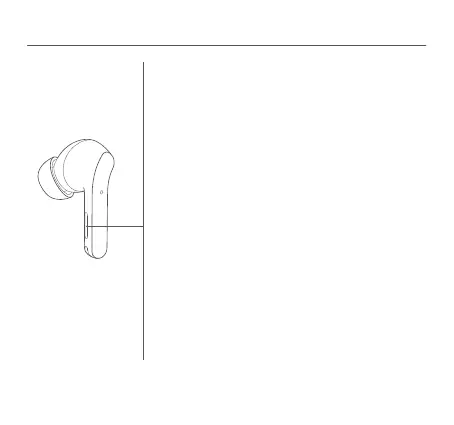
Function Overview
Incoming calls
Tap the pressure sensor area on either side of the earphones:
Answer/end a call
Double tap the pressure sensor area on either side of the
earphones: Decline a call
Music
While wearing both earphones:
Tap the pressure sensor area: Play/pause
Double tap the pressure sensor area: Next track
Tap the pressure sensor area three times: Previous track
Press and hold the pressure sensor area for two seconds to
cycle through: Enable noise cancellation > Transparency mode
> Disable noise cancellation
Take out either earphone: Pause music and wear the
earphone back to resume playing
While wearing one earphone:
Tap the pressure sensor area: Play/pause
Notes:
●
When only using the left earphone, place the right earphone
into the charging case and close the lid.
●
Noise cancellation mode cannot be set to on in single
earphone mode.
07




 To Next Page