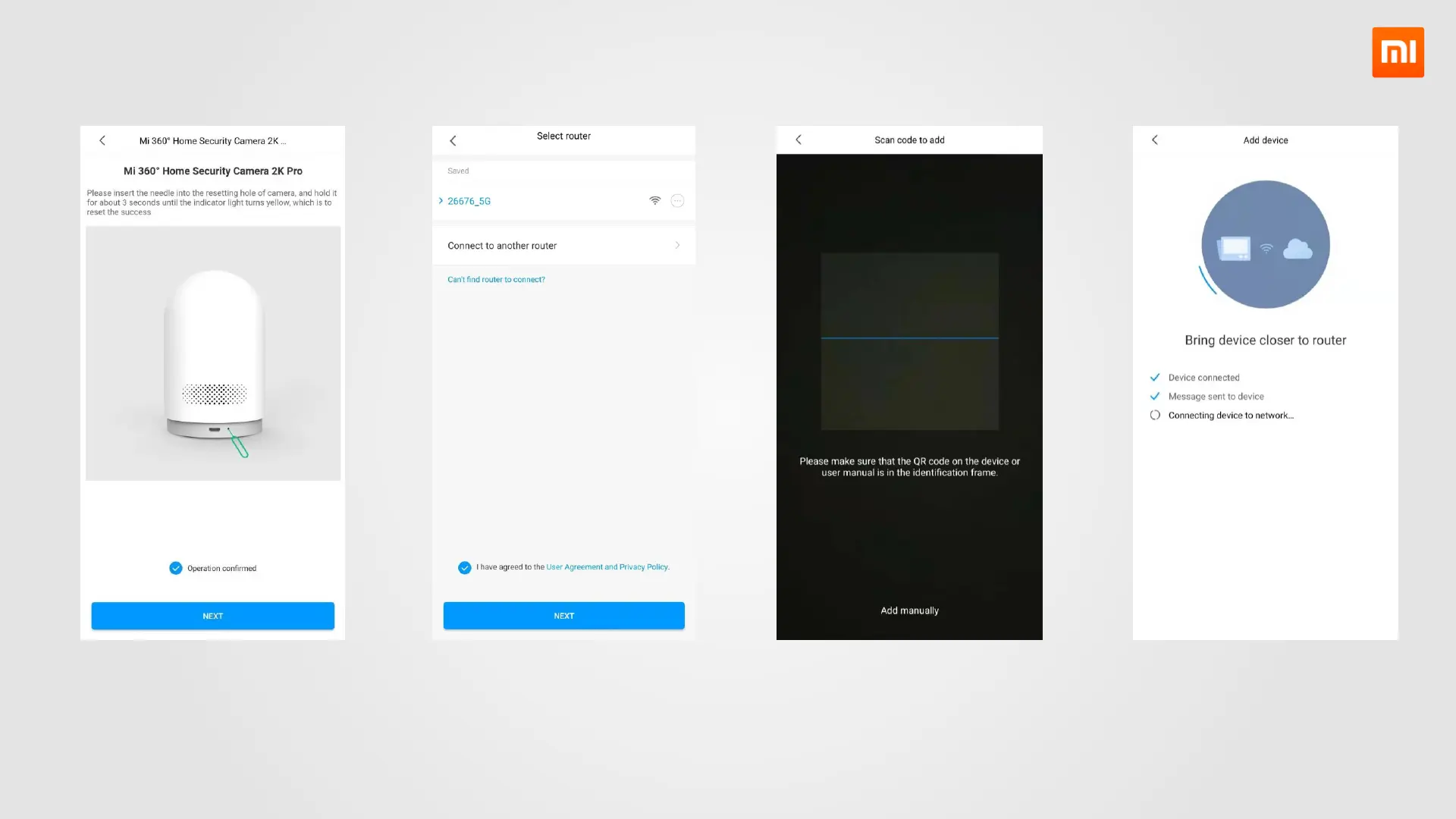
4. Connect the Camera to Network
I. Follow the instructions
to reset camera.
*The new product doesn’t need to reset
for connection.
II. Select Wi-Fi network to
connect camera.
*Support both 2.4GHz and 5GHz Wi-Fi.
III. Scan the QR code on the
bottom of the device to
add.
IV. Wait until connection
completed.



 To Next Page