Need help?
Do you have a question about the Xiaomi MI 70MAI and is the answer not in the manual?
Clean windshield and apply electrostatic sticker, removing air bubbles between sticker and glass.
Attach mount base to electrostatic sticker, ensuring dash cam body is parallel to ground.
Align and fasten USB cable along windshield edge, connect to power adapter, and insert into receptacle.
Operate dash cam functions like Wi-Fi, formatting, reset, and power by pressing the power key.
Control dash cam functions such as capturing photos or recording emergency videos using voice commands.
Download and install the 70mai app from app stores or by scanning a QR code.
Information on the Wi-Fi hotspot name and default password for device connection.
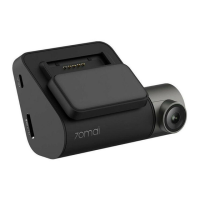
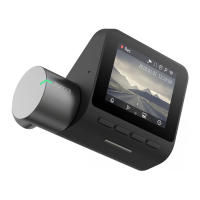
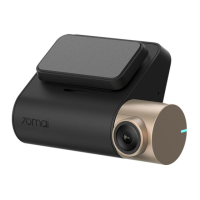
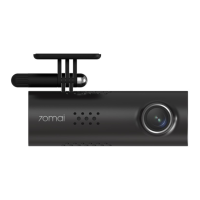
The Xiaomi Mi 70mai Smart WiFi Dash Camera is a compact and intelligent device designed to enhance your driving experience by providing reliable video recording and smart functionalities. This dash camera is engineered for ease of use, featuring a single power key that controls multiple functions and supports voice commands for quick, hands-free operation.
At its core, the 70mai Smart WiFi Dash Camera serves as a vigilant eyewitness on the road, continuously recording your journeys. It captures video footage, which can be crucial for insurance claims, accident analysis, or simply documenting scenic drives. The integrated WiFi capability allows for seamless connectivity with a dedicated mobile application, enabling users to manage recordings, adjust settings, and access real-time footage directly from their smartphone.
The device is equipped with a camera (9) that records video, a microphone (1) for audio capture, and a speaker (8) for audio feedback or alerts. An indicator light (2) provides visual cues about the camera's status. For storage, the dash camera utilizes a TF card slot (4), allowing users to expand memory as needed. Power is supplied via a USB port (5), typically connected to a cigarette lighter receptacle in the vehicle.
The 70mai Dash Camera is designed for straightforward installation and operation. The installation process involves attaching an electrostatic sticker to the windshield, followed by securing the camera mount (6) to the sticker. The camera body should be parallel to the ground to ensure optimal recording angles. Power is supplied by connecting a USB cable to the camera's USB port and then to a power adapter inserted into the car's cigarette lighter receptacle. The cable can be neatly routed along the windshield and glovebox to maintain a tidy interior.
Operation of the dash camera is simplified through its single power key. This key serves multiple purposes, depending on how it's pressed:
Beyond physical button presses, the 70mai Dash Camera supports voice commands, offering a hands-free way to control essential functions while driving. When the camera is running, speaking specific commands will trigger corresponding actions:
The device's Wi-Fi hotspot, named "70mai_d06_XXXX" (with "XXXX" being device-specific), allows for wireless connection to your smartphone. The default password for this hotspot is "12345678". This connectivity is crucial for accessing the camera's settings, viewing live footage, downloading recorded videos, and updating firmware through the 70mai app.
Maintaining the 70mai Dash Camera is relatively simple, focusing on ensuring clear visibility and proper data management.
By combining intuitive controls, smart connectivity, and essential recording capabilities, the Xiaomi Mi 70mai Smart WiFi Dash Camera provides a reliable and user-friendly solution for capturing your journeys and enhancing road safety.
 General
| Video Format | MP4 |
|---|---|
| Resolution | 1920x1080 |
| Battery | 240mAh |
| Storage | MicroSD card |
| Features | Loop Recording, G-Sensor, Parking Mode |
| Wi-Fi | Yes |
| Night Vision | Yes |

 To Next Page