Need help?
Do you have a question about the Xiaomi 70mai Pro Plus and is the answer not in the manual?
Read this manual carefully before using the product and keep it in a safe place.
Clean windshield and apply electrostatic sticker, removing air bubbles for secure attachment.
Insert MicroSD card into the slot with contacts facing up until it clicks for successful installation.
Attach mount to the slot and slide up until it snaps securely into place on the dash cam.
Peel protective film from mount adhesive and paste dash cam onto the electrostatic sticker.
Rear recording function requires rear cameras; scan QR code for operation guide.
Download the 70mai App from App Store or scan QR code for enhanced product functionality.
Scan QR code to access detailed online guide for product information and usage instructions.
List of items included in the package: Dash Cam Pro Plus+, Mount, Power cord, Car Charger, etc.
Use MicroSD cards (16-128GB, Class 10+), format in dash cam, and replace if damaged.
Read all precautions and online guide for correct, safe use; avoid blocking airbags or sight.
Equipment tested for Class B digital device, complies with Part 15 of FCC Rules for interference.
Proper disposal of waste electrical and electronic equipment to protect health and environment.
Manufacturer declares compliance with applicable EU Directives and Norms; full text online.
Caution against battery abuse, overheating, liquid leakage, or explosion; handle with care.
Details product model, lens, battery, FCC ID, input, connectivity, resolution, and power supply.
Links to download user manuals for Xiaomi and 70mai Dash Cam Pro Plus+.
Links to EU declaration of conformity and company information.
List of other 70mai dash cam user manuals for additional product information.
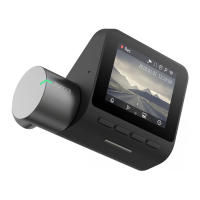
The Xiaomi 70mai Dash Cam Pro Plus is a sophisticated in-car recording device designed to enhance driving safety and provide a reliable record of events on the road. This dash cam serves primarily as an assistant for drivers, capturing the environment outside the vehicle, though it's important to note that it does not guarantee driving safety. Its robust design and array of features aim to offer a comprehensive solution for in-car video surveillance.
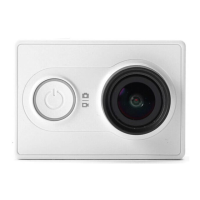
At its core, the 70mai Dash Cam Pro Plus records video and image files, providing a visual log of your journeys. It is equipped with a camera that faces the front of the vehicle, capturing a wide field of view. The device features a display for real-time preview and playback, allowing drivers to monitor the camera's perspective and review recorded footage directly on the unit. Function buttons and a power button offer intuitive control over the device's operations, making it easy to navigate menus and settings.
For power, the dash cam connects to the car's cigarette lighter socket via a power cord and a car charger. It also includes a rear camera port, indicating its capability to support an optional rear camera for dual-channel recording, thereby expanding its surveillance coverage to the rear of the vehicle. Audio recording is facilitated by a built-in microphone, capturing in-car sounds, while a speaker allows for audio playback. An indicator light provides visual cues about the device's status.
The dash cam relies on a memory card for storage, supporting standard MicroSD cards within a specified capacity range and speed rating. This ensures ample space for recording high-quality video. The device is designed to be user-friendly, with a clear interface that allows for easy adjustment of settings and access to recorded files.
Installation of the 70mai Dash Cam Pro Plus is designed to be straightforward. It begins with applying an electrostatic sticker to the windshield, which serves as a secure base for mounting the dash cam. This sticker helps ensure firm adhesion and prevents the device from falling. Once the sticker is in place, the memory card is inserted into its dedicated slot, ready for recording. The mount then attaches to the dash cam and slides into position, securing the device. Finally, the dash cam is pasted onto the electrostatic sticker, completing the physical setup.
Connecting the power supply involves routing the power cord along the windshield, down the A-pillar, and around the glove compartment to the cigarette lighter socket. A crowbar is provided to help hide the power cord neatly under the vehicle's headliner and rubber seal, maintaining a clean interior aesthetic. After powering on, the camera angle can be adjusted using the preview screen to ensure optimal alignment with the front of the vehicle.
The dash cam can be used in conjunction with a dedicated mobile application, the 70mai App. This app allows users to connect to the dash cam's Wi-Fi hotspot with their smartphone, providing additional control, live view, and access to recorded footage. This feature enhances convenience, enabling users to manage their dash cam recordings and settings remotely. The app also serves as a gateway to an online guide, offering detailed product information and descriptions of functions, which is crucial for maximizing the device's utility and preventing incorrect use.
The device is designed to operate within specific temperature and humidity ranges, ensuring reliability in various driving conditions. It is important to install the dash cam correctly to avoid obstructing the driver's line of sight or the vehicle's airbag, which could lead to product failure or personal injury. The use of included accessories like the car charger and power cord is recommended to prevent non-conformance and ensure proper functioning.
Proper maintenance of the 70mai Dash Cam Pro Plus primarily revolves around its memory card and battery. The memory card, which is sold separately, must be formatted in the dash cam before its first use. This ensures compatibility and optimal performance. Regular formatting of the memory card, ideally every two weeks, is recommended to prevent a decrease in reading and writing speeds after prolonged use. It's crucial to back up any important data before formatting, as this process will delete all files on the card. The manual also advises against inserting or removing the memory card while the dash cam is turned on to prevent damage. Should the memory card become damaged or deteriorate, immediate replacement with a new, high-quality memory card from a reputable vendor is advised to avoid issues with saving video and image files.
The device's internal rechargeable lithium battery requires attention to ensure longevity and safety. Users are cautioned against opening, disassembling, or servicing the battery. It should not be crushed, punctured, or exposed to water or other liquids. Keeping the battery away from children and fire is also emphasized. To prevent overcharge, it is recommended to charge the batteries approximately once every three months. If the battery shows signs of damage, such as deformation, swelling, or leakage, or if foreign materials accumulate on the battery leads, the dash cam should be immediately stopped from use, and after-sales service should be contacted. When disposing of the battery, local laws and regulations for waste disposal should be followed, avoiding disposal in landfills.
Furthermore, the dash cam should be kept away from strong magnetic fields, as these can cause damage. Operating the device outside its specified temperature range (e.g., above 60°C or below -10°C) should also be avoided to ensure proper functioning and prevent damage. Adhering to these maintenance guidelines helps ensure the continued reliability and safe operation of the Xiaomi 70mai Dash Cam Pro Plus.
 General
| Field of View | 140° |
|---|---|
| GPS | Yes |
| Wi-Fi | Yes |
| Battery | 500mAh |
| Aperture | F1.8 |
| Display Type | LCD |
| ADAS | Yes |
| Parking Surveillance | Yes |
| G-Sensor | Yes |
| App Control | Yes |
| Night Vision | Yes |
| Loop Recording | Yes |
| Parking Mode | Yes |
| Resolution | 2592 x 1944 |
| Display | 2.0-inch LCD |
| Storage | Supports up to 128GB microSD card |


 To Next Page