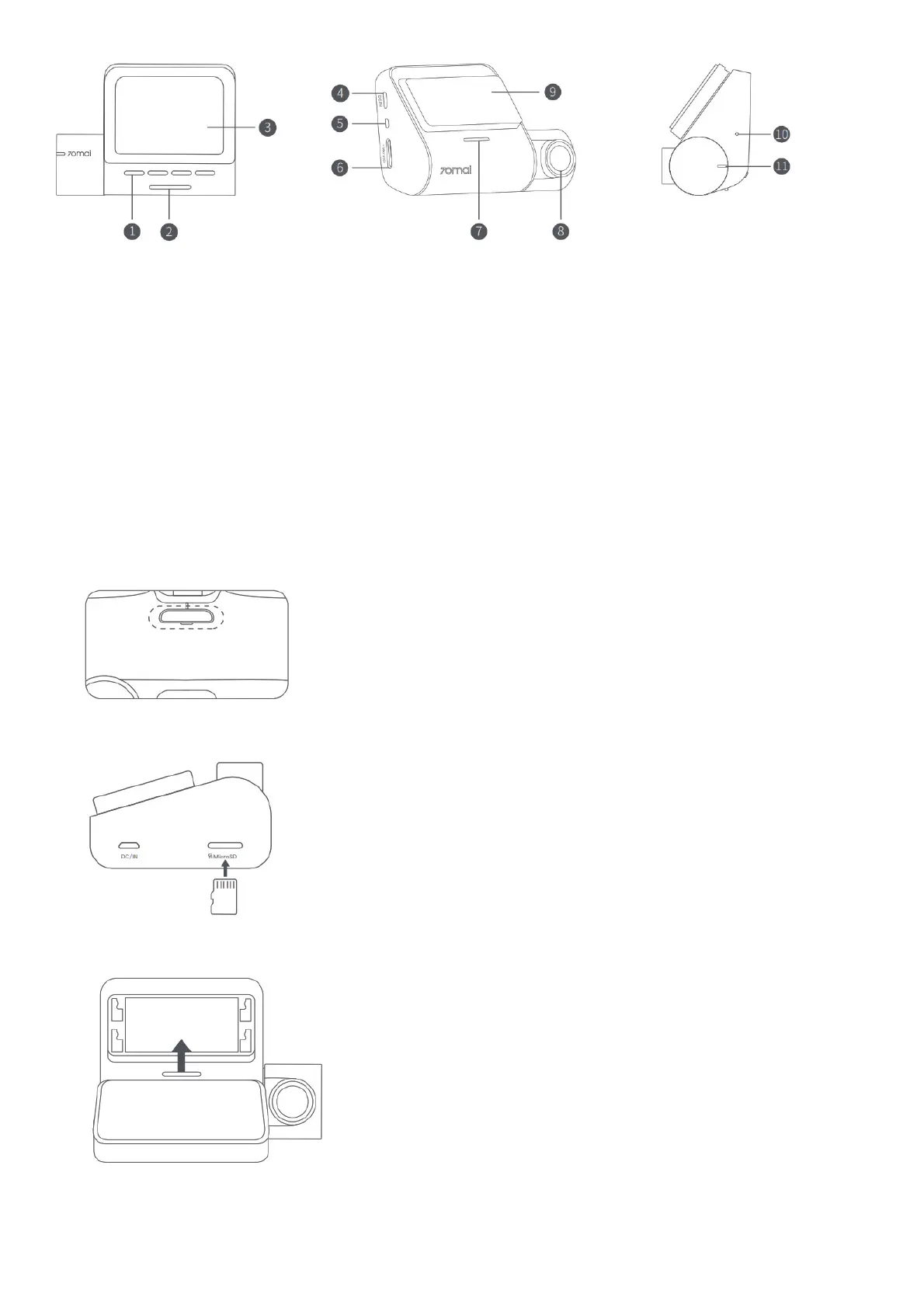
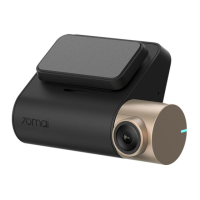
1. Function Buttons
2. Power Button
3. Display
4. Power Port
5. Rear Camera Port
6. Memory Card Slot
7. Speaker
8. Camera
9. Mounting Slot
10. Microphone
11. Indicator
Note: Illustrations of the product, accessories, and user interface in the user manual are for reference purposes only. The actual product and functions
may vary due to product enhancements.
Installation
1. Installing the electrostatic sticker.
Clean your windshield and put the electrostatic sticker on the recommended area as shown in the figure. Make sure you remove air bubbles
between the sticker and the glass.
Note: Make sure to stick the electrostatic sticker on a flat and smooth part of the windshield, press it firmly,
and avoid sticking it on the edge of the windshield’s film to prevent it from falling down.
2. Installing the memory card.
Insert the memory card into the card slot with its contacts facing up until you hear a click. The memory card is well-installed.
3. Installing the mount.
Attach the mount to the slot and slide up, as shown in the figure. You will hear a snap when it is in place. Make sure the mount is securely installed
to the dash cam.
4. Mounting the dashcam.
Peel off the protective film from the adhesive sticker on the base of the mount, and paste the dash cam onto the electrostatic sticker in the dotted
area.



 To Next Page