10
Installation and disassembly
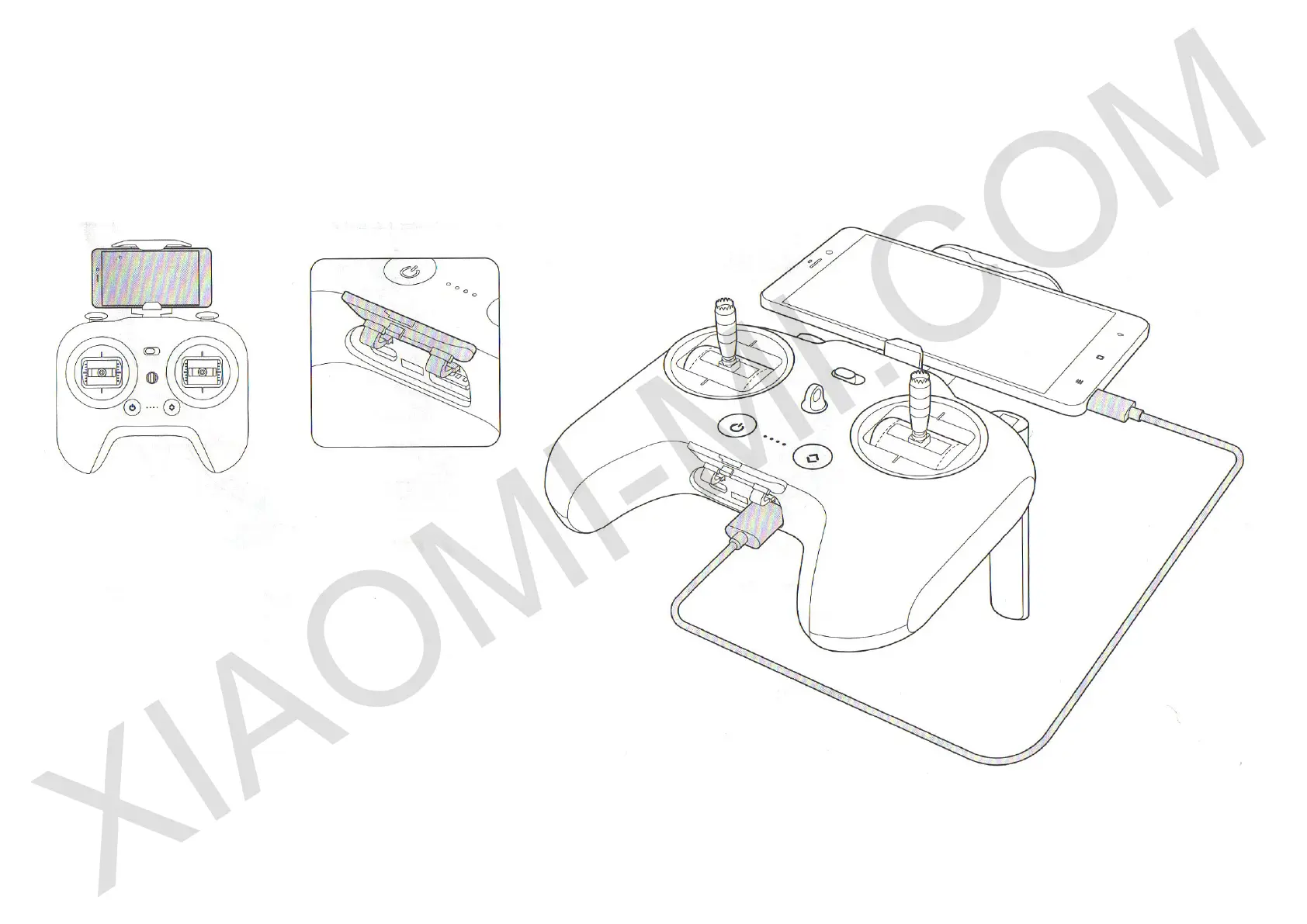
• Firmly place the phone in its dock. Please make sure
that bottom edge of the lock does not presses buttons of a
phone.
• Open bottom panel of the remote control.
• Connect your phone to the remote control via a USB
cable.
• According to guidelines of Mi Drone App, create a
connection between devices, make control settings and
update rmware.
Note: You get a Micro USB cable with the device. Other means of communication are not included as standard.
Some phones do not t the dock because of their size.


 To Next Page