7
Installation and disassembly
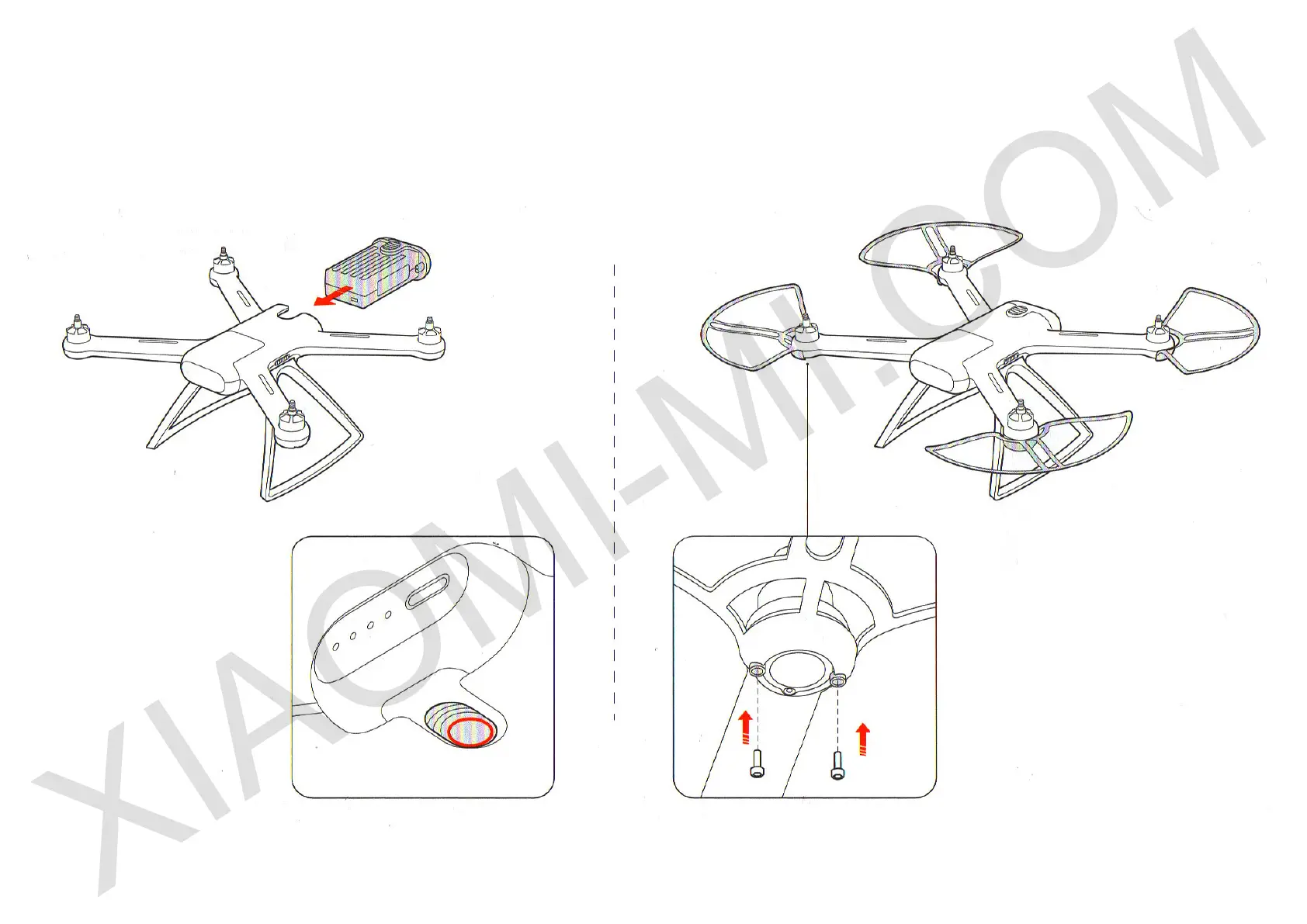
b) Battery
Using force, insert a battery in until it clicks.
To remove a battery from the device you need to press down lower
switch of a battery. Remove a battery, using force.
c) Protective covers
To install protective covers use screws and a screwdriver.
You will need 2 screws for each protective cover.
Note: To unscrew screws and remove the protective cover,
use a screwdriver.


 To Next Page