EasyManua.ls Logo

Xiaomi Mi Robot STYTJ02YM - User Manual

Xiaomi Mi Robot STYTJ02YM
18 pages
Print Icon
To Next Page IconTo Next Page
Loading...
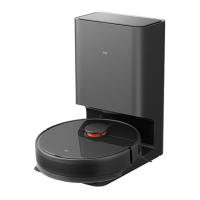
Mi Robot Vacuum-Mop Cleaner
Model : STYTJ02YM
User Manual
Represented by
https://fr.aliexpress.com/item/4000095616285.html
Please read this manual carefully before use and keep it properly. The adapter supplied with this product can only be used
at an altitude below 2000m.

Questions and Answers

  • S
    Sean CarterAug 15, 2025
    How to fix Xiaomi Vacuum Cleaner failing to connect to Wi-Fi?
    • J
      Justin SmithAug 15, 2025
      If your Xiaomi Vacuum Cleaner fails to connect to Wi-Fi, it could be due to a weak Wi-Fi signal. Ensure that the robot is in an area with a good Wi-Fi signal. Alternatively, the Wi-Fi connection might be abnormal. Reset the Wi-Fi, download the latest App, and try again.
  • T
    Tristan MilesAug 19, 2025
    Why is the Xiaomi Vacuum Cleaner not cleaning well or leaving dust?
    • J
      Joshua HaleyAug 19, 2025
      The cleaning capacity might be reduced, or dust might come off if the dustbin is full. Clear up the dustbin to resolve this. Also, the HEPA component might be blocked, so clear it as well. Finally, the rolling brush may be entangled with foreign objects; in this case, clear up the main brush.
  • L
    lori89Aug 21, 2025
    What to do if my Xiaomi Mi Robot STYTJ02YM won't turn on?
    • J
      Jennifer SmithAug 21, 2025
      If your Xiaomi Vacuum Cleaner fails to power on, it could be due to a low battery level. Connect the robot to the charging dock for charging. Alternatively, the ambient temperature may be too low (less than 0°C) or too high (greater than 50°C).
  • S
    scottjillAug 25, 2025
    Why is my Xiaomi Mi Robot STYTJ02YM not recharging?
    • A
      Alison BairdAug 25, 2025
      If your Xiaomi Vacuum Cleaner is not recharging, it could be due to too many obstacles near the charging dock. Place the charging dock in an area free of obstacles. Another reason could be that the robot is too far from the charging dock. Place the robot near the charging dock and retry.
  • H
    hartjasonAug 28, 2025
    Why Xiaomi Mi Robot STYTJ02YM is failing to charge?
    • N
      Nicole PowellAug 28, 2025
      If your Xiaomi Vacuum Cleaner is failing to charge, ensure that there is sufficient space around the charging dock and that the surfaces of the electrodes are free from dust and coverage.
  • W
    Whitney FordAug 30, 2025
    Why won't my Xiaomi Mi Robot STYTJ02YM start cleaning?
    • K
      Kelli HoodAug 31, 2025
      If your Xiaomi Vacuum Cleaner won't start cleaning, the battery level might be too low. Connect the robot to the charging dock for charging.
  • M
    Mark MejiaSep 2, 2025
    Why does my Xiaomi Mi Robot STYTJ02YM make abnormal sounds during cleaning?
    • A
      angelacarrollSep 3, 2025
      If your Xiaomi Vacuum Cleaner is making abnormal sounds during cleaning, the rolling brush, side brush, or left/right wheel may be entangled with foreign objects. Stop the robot and clear them up.
  • J
    Joshua CastanedaSep 5, 2025
    How to fix Xiaomi Vacuum Cleaner always offline?
    • C
      courtneycastroSep 6, 2025
      If your Xiaomi Vacuum Cleaner is always offline, confirm that the device has been successfully connected to the network and that it is always within the range covered by the Wi-Fi signal.
  • J
    Joshua CopelandSep 8, 2025
    Why Xiaomi Vacuum Cleaner doesn't resume cleaning?
    • K
      Kent MaynardSep 8, 2025
      Your Xiaomi Vacuum Cleaner might not resume cleaning because it is in DND (Do Not Disturb) mode; it will not continue cleaning in this mode. Also, the robot will not continue cleaning if it is manually brought to the charging dock.
  • F
    floydthomasSep 12, 2025
    What to do if my Xiaomi Mi Robot STYTJ02YM Vacuum Cleaner is acting abnormal?
    • M
      Michael KellySep 12, 2025
      If your Xiaomi Vacuum Cleaner is acting abnormally, shut down and restart the robot.

Summary

Product Introduction

Robot Overview

Explains robot features like intelligent recharging, startup/shutdown, and indicator lights.

Installation Instructions

Prepare Charging Dock and Robot

Instructions for connecting the power cord, placing the charging dock, and initial charging.

Operation Instructions

Basic Operations

How to start, shut down, clean, and recharge the robot.

Troubleshooting and Common Problems

Fault Prompts and Solutions

Lists common error messages and their corresponding solutions.

Common Issues and Resolutions

Addresses common problems like power failure, cleaning failures, and Wi-Fi connectivity.

Restrictions on Use

Xiaomi Mi Robot STYTJ02YM Specifications

General IconGeneral
ModelSTYTJ02YM
TypeRobot Vacuum Cleaner
BrandXiaomi
CategoryVacuum Cleaner
Suction Power2100 Pa
Battery Capacity3200 mAh
Run Time150 minutes
Weight3.8 kg
Mopping FunctionYes
Automatic Recharge and ResumeYes
ConnectivityWi-Fi
Compatible AppMi Home
Water Tank Capacity0.2 L
NavigationLaser Navigation
ControlApp, Voice
Charging Time4 hours

Related product manuals