EasyManua.ls Logo

Xiaomi Mi Smart Standing Fan 1X - User Manual

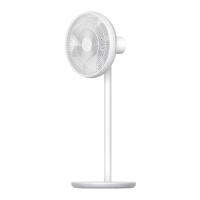
Xiaomi Mi Smart Standing Fan 1X
12 pages
Print Icon
To Next Page IconTo Next Page
Loading...
Mi Smart Standing Fan 1X User Manual
10
WARRANTY NOTICE
20
米家智能電風扇 座地式1X 使用說明書
1

Questions and Answers

  • A
    Amber AlexanderAug 7, 2025
    Why is my Xiaomi Fan Wi-Fi unable to connect?
    • H
      Heather RichardsonAug 7, 2025
      Your Xiaomi Fan might not be connecting to Wi-Fi because it's trying to connect to a 5 GHz network. Try connecting it to a 2.4 GHz Wi-Fi connection instead. Another reason could be that the fan has been offline for more than half an hour, in this case you should reset the Wi-Fi.
  • W
    Willie OwensAug 15, 2025
    What to do if Xiaomi Fan blades are stuck?
    • B
      Brandi PattersonAug 15, 2025
      If your Xiaomi Fan blades are stuck, the first thing to do is unplug the fan and check for any foreign objects blocking the blades. Remove any obstructions you find. If there are no obstructions, it may be a motor error.
  • P
    Peter FernandezAug 22, 2025
    What to do if my Xiaomi Mi Smart Standing 1X Fan doesn't work?
    • T
      Theresa CarrAug 22, 2025
      If your Xiaomi Fan isn't working, there could be a few reasons. First, ensure that the fan is properly connected to a power outlet that meets the fan's requirements. Also, check that the power cable is correctly plugged into the fan's base. Finally, make sure the fan stand and base are properly aligned and that the base bolt is tightened.
  • J
    Jeffrey MedinaAug 30, 2025
    Why Xiaomi Fan oscillation function does not work?
    • G
      Gary BrownAug 30, 2025
      If the oscillation function on your Xiaomi Fan isn't working, it might be in the auto-oscillation state. Wait for the auto-oscillation to complete, which can last up to 14 seconds.

Summary

Safety Instructions

Precautions

General safety measures for handling, installation, and usage of the fan.

Warnings

Potential hazards and improper usage warnings for the fan.

Package Contents

Overview

Product Features Overview

Description of indicators, buttons, and functional elements of the fan.

Stand and Base Overview

Visual guide to the fan's stand and base components.

Installation Instructions

Base Installation

Step-by-step guide for assembling the fan base and stand.

Open the fan assembly

Instructions for disassembling the fan's main components.

Install the rear grille

Procedure for attaching the rear protective grille.

Install the fan blade assembly

Guidance on mounting the fan blades and securing them.

Install the front grille

Instructions for attaching the front protective grille.

Fasten the front grille

Method for securing the front grille with screws.

How to Use

Connect to a power outlet

Steps to connect the fan to a power source.

Turn on;off

How to operate the fan's power functions.

Adjust speed & switch mode

Instructions for changing fan speed and operating modes.

Switching mode

Details on switching between direct and natural breeze modes.

Control oscillation

How to enable and disable the fan's oscillation feature.

Set scheduled turn-off

Instructions for setting the automatic timer for the fan.

Adjust the Airflow Direction

Guidance on tilting the fan head to direct airflow.

Connect with the Mi Home App

Steps for connecting the fan to the Mi Home mobile application.

Connecting to Wi-Fi

Procedure for establishing a Wi-Fi connection for the fan.

Daily Care & Maintenance

Clean the Fan

Instructions on cleaning washable and non-washable fan parts.

Troubleshooting

Wi-Fi Status Indicators

Explanation of Wi-Fi indicator light states.

Wi-Fi Reset

Steps to reset the fan's Wi-Fi connection.

Faults and Solutions

Common issues and their corresponding troubleshooting steps.

Specifications

Product Specifications

Technical details and specifications of the fan.

Warranty Notice

Limited Product Warranty

Terms and conditions of the limited product warranty.

Remedies

Available remedies for product defects under warranty.

How to Obtain Warranty Service

Procedure for accessing warranty service.

Exclusions and Limitations

Conditions and circumstances not covered by the warranty.

Implied Warranties

Information regarding implied warranties.

Damage Limitation

Limitations on Xiaomi's liability for damages.

Xiaomi Contacts

Contact information for Xiaomi warranty and service.

Xiaomi Mi Smart Standing Fan 1X Specifications

General IconGeneral
BrandXiaomi
ModelMi Smart Standing Fan 1X
CategoryFan
LanguageEnglish

Related product manuals