EasyManua.ls Logo

Xiaomi Mi Smart Standing Fan 2 - User Manual

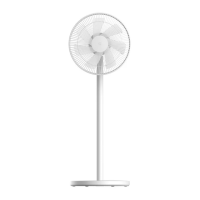
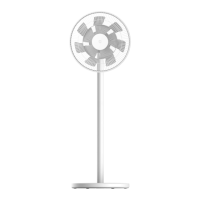
Xiaomi Mi Smart Standing Fan 2
13 pages
Print Icon
To Next Page IconTo Next Page
Loading...
Mi Smart Standing Fan 2 User Manual

Questions and Answers

  • N
    Nicole MccoyJul 29, 2025
    What to do if Xiaomi Mi Smart Standing 2 Fan is unable to connect to Wi-Fi?
    • C
      cfisherJul 29, 2025
      If your Xiaomi Fan is unable to connect to Wi-Fi, it might be due to the following reasons: * The fan might be trying to connect to a 5 GHz Wi-Fi network. Connect to a 2.4 GHz Wi-Fi network instead. * If the fan has been offline for more than half an hour, try resetting the Wi-Fi connection.
  • K
    kjarvisAug 6, 2025
    What to do if Xiaomi Mi Smart Standing 2 Fan blades are stuck?
    • S
      Shane HaysAug 6, 2025
      If your Xiaomi Fan blades are stuck, it is possible that a foreign object is obstructing them. Unplug the fan from the power source and carefully remove the foreign object.
  • B
    bradyellisAug 12, 2025
    Why Xiaomi Fan doesn't work?
    • A
      Alan TurnerAug 12, 2025
      If your Xiaomi Fan isn't working, here are a few things to check: * Ensure the fan is connected to a functioning electrical outlet that meets the fan's power requirements. * Verify that the power cord is securely plugged into the power port. * Confirm that the fan base is correctly installed with the stand. * Check if the child lock function is enabled and, if so, disable it.
  • L
    Leah MillerAug 19, 2025
    Why Xiaomi Mi Smart Standing 2 Fan oscillation function does not work?
    • N
      Nicole MaysAug 19, 2025
      If the oscillation function on your Xiaomi Fan isn't working, it might be because the fan is in the auto-oscillation state. Wait for the auto-oscillation to complete, which should take no more than 14 seconds.

Summary

Safety Instructions

General Warnings

Improper use can lead to electric shock, fire, injury, or damage. Follow all safety guidelines to prevent hazards.

Precautions

Installation and Transportation Precautions

Follow installation steps carefully, assemble base last, and hold fan firmly when moving to prevent falls.

Usage and Power Cord Precautions

Stop if unusual sounds occur. Do not lean or shake fan. Pull plug, not cord, and replace damaged cords.

Package Contents

Product Overview

Installation Steps

Step 1: Install the Fan Base

Connect motor, upper stand, lower stand, and base. Listen for a click to confirm successful assembly.

Steps 2-4: Fan Assembly and Grille Installation

Open fan assembly, install rear grille, and attach fan blade assembly. Secure grilles properly.

Steps 5-6: Front Grille and Fastening

Install and align front grille, then secure it using the fan grille screw and hex key.

How to Use

Connecting to Power and Basic Operation

Connect fan to power, turn on/off. Default speed is slow on first use. A beep confirms power connection.

Speed, Mode, and Oscillation Control

Adjust fan speed, switch between direct/natural breeze, and enable/disable oscillation.

Airflow Adjustment and Timers

Adjust airflow direction by lifting/pushing the fan head. Set scheduled turn-off times.

Smart Connectivity (Mi Home App & Wi-Fi)

Control fan via Mi Home app and connect to Wi-Fi. Scan QR code or search app to add device.

Wi-Fi Status and Connection Management

Understand Wi-Fi indicators, reset connection, and enable/disable Wi-Fi functionality.

Child Lock Function

Disable child lock via app or by pressing and holding specific buttons until a long beep.

Care and Maintenance

Washable Parts

Parts like grilles and fan blade assembly can be washed with mild detergent and water. Dry completely.

Not Washable Parts

Parts like knob, base, stand, and motor cannot be rinsed. Wipe clean with a dry cloth. Avoid solvents.

Troubleshooting

Specifications

Regulatory Compliance Information

Xiaomi Mi Smart Standing Fan 2 Specifications

General IconGeneral
TypeHousehold blade fan
PlacementFloor
Noise level58 dB
Product colorWhite
Auto oscillatingYes
Number of speeds4
Height adjustment-
Oscillation range140 °
Number of oscillation angles2
Power source typeDC
Power consumption (typical)15 W
Weight and Dimensions IconWeight and Dimensions
Depth343 mm
Width330 mm
Height1000 mm
Weight3000 g

Related product manuals