EasyManua.ls Logo

Xiaomi Mi Smart Standing Fan 2 Pro - User Manual

Xiaomi Mi Smart Standing Fan 2 Pro
17 pages
Print Icon
To Next Page IconTo Next Page
Loading...
Smart Standing Fan 2 Pro User Manual

Questions and Answers

Summary

Safety Instructions

Warnings

Critical safety warnings about potential hazards like shocks, fire, and injury.

Precautions

Safety measures for installation, operation, charging, and maintenance.

Package & Overview

Package Contents

List of all parts provided in the fan's package.

Product Components

Visual guide to the fan's parts and controls.

Installation Guide

Fan Assembly Steps

Procedures for assembling the fan's motor, grille, and blade.

Base and Stand Assembly

Instructions for connecting the fan stand and base.

Using Your Fan

Charging and Operation

Guidance on charging the fan and basic power controls.

Modes & Settings

How to adjust speed, modes, oscillation, and set timers.

Connectivity & Wi-Fi

Steps for connecting the fan to the app and Wi-Fi.

Wi-Fi Status & Child Lock

Understanding Wi-Fi indicators and managing child lock.

Technical Specifications

Fan & Adapter Specs

Detailed technical specifications for the fan and its power adapter.

Troubleshooting & Support

Troubleshooting Common Issues

Solutions for common fan problems like non-operation or connectivity.

Warranty & Contacts

Details on warranty, service, and contact information.

Environmental & Compliance

Disposal & Compliance

Guidance on battery removal, disposal, and regulatory compliance.

Overview

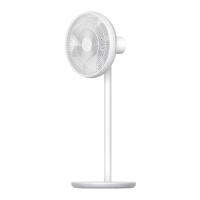
The Xiaomi Smart Standing Fan 2 Pro is a versatile and intelligent fan designed to provide cooling and air circulation with a range of user-friendly features and smart connectivity. It can be used as both a standing fan and a table fan, offering flexibility in placement and usage.

Function Description

The primary function of the Xiaomi Smart Standing Fan 2 Pro is to generate airflow for cooling and ventilation. It features a multi-blade design for efficient air delivery and offers various speed settings and modes to suit different preferences and environmental conditions. The fan is equipped with a built-in Li-ion battery, allowing for cordless operation and portability, making it suitable for use in various locations without needing a constant power connection. It also includes an oscillation function to distribute air across a wider area.

Usage Features

  • Dual-Mode Operation: The fan can be configured as a standing fan or a table fan by adjusting the stand components. This adaptability makes it suitable for different room layouts and personal needs.
  • Cordless and Corded Use: Thanks to its built-in Li-ion battery, the fan can operate wirelessly, providing convenience and portability. It can also be connected to a power outlet for continuous operation and charging.
  • Intuitive Controls: The fan features an on/off button, speed adjustment/mode switch button, oscillation button, and scheduled turn-off button, all located on the fan base for easy access.
  • Multiple Speed Settings: Users can choose from several speed levels (Slow, Medium, Fast, Turbo) to customize the airflow intensity. The fan remembers the last used speed setting when turned off and on again.
  • Direct and Natural Breeze Modes: The fan offers two distinct airflow modes. The direct breeze mode provides a steady stream of air, while the natural breeze mode simulates a more varied, natural wind pattern, enhancing comfort.
  • Oscillation Function: The fan head can oscillate to distribute air over a wider area. The oscillation angle range can be customized via the accompanying mobile app.
  • Scheduled Turn-off: A scheduled turn-off function allows users to set the fan to automatically turn off after a predetermined period (1, 2, 3, or 4 hours, with more options available via the app), promoting energy saving and convenience, especially during sleep.
  • Battery Level Indicator: An indicator light on the fan base provides visual feedback on the battery charge level, helping users to know when recharging is needed.
  • Wi-Fi Connectivity and Smart Control: The fan is equipped with a Wi-Fi module, enabling smart control through the Mi Home/Xiaomi Home app. This allows users to remotely control the fan, adjust settings, and access additional features like extended scheduled turn-off options and customized oscillation angles.
  • Wi-Fi Status Indicator: A dedicated Wi-Fi indicator light shows the connection status (awaiting connection, connecting, connected, or failed to connect), making it easy to troubleshoot connectivity issues.
  • Wi-Fi Reset and Enable/Disable: Users can reset the Wi-Fi connection or enable/disable the Wi-Fi function directly from the fan's control panel, providing flexibility in managing smart features.
  • Child Lock Function: For safety, especially in households with children, a child lock function can be activated via the Mi Home/Xiaomi Home app or by simultaneously pressing specific buttons on the fan.
  • Adjustable Airflow Direction: The fan head can be manually tilted upwards (up to 23°) and downwards (up to 16°) to direct the airflow precisely where needed.
  • Easy Assembly: The fan is designed for straightforward assembly, with clear instructions provided for installing the fan base, grilles, and blade assembly.

Maintenance Features

  • Washable Parts: Several components of the fan, including the front grille, fan blade assembly, rear grille, and rear grille knob, are washable. These parts can be cleaned with a soft cloth or sponge using water and a neutral detergent. It is crucial to ensure all parts are completely dry before reassembly and reuse.
  • Non-Washable Parts: Other components, such as the fan base, motor & upper stand, lower stand, fan blade assembly knob, and charging base, should not be rinsed with water. Instead, they can be wiped clean with a soft, dry cloth.
  • Disassembly for Cleaning: The fan can be easily disassembled for thorough cleaning. Users are instructed to stop and unplug the fan, then disassemble its parts for cleaning, and reassemble them once dry.
  • Battery Removal for Disposal: The built-in rechargeable Li-ion battery can be removed for proper disposal at a professional recycling facility when the fan reaches the end of its life. This process is detailed in the manual, emphasizing that the fan will no longer be usable after battery removal and should only be done for permanent disposal.
  • Safety Precautions for Maintenance: Before any maintenance or cleaning, the fan must be switched off and unplugged from the supply mains to prevent electric shocks or injury. Direct sunlight should be avoided when drying cleaned parts.
  • Charging Base Care: If the charging base is damaged, it should not be repaired by the user but replaced with a genuine part from the manufacturer or an authorized service facility.
  • Proper Charging Environment: When charging, it is recommended to place the fan on insulating materials or in areas not easily affected by heat to prevent discoloration or deformation of surfaces.

Xiaomi Mi Smart Standing Fan 2 Pro Specifications

General IconGeneral
ModelMi Smart Standing Fan 2 Pro
TypeStanding Fan
Fan Speed Levels100
Height AdjustmentYes
Remote ControlYes
Smart ControlYes
BatteryNo
Wireless ConnectivityWi-Fi, Bluetooth
Oscillation Angle140°
Voice ControlYes
TimerYes

Related product manuals