EasyManua.ls Logo

Xiaomi BPLDS03DM - User Manual

Xiaomi BPLDS03DM
17 pages
Print Icon
To Next Page IconTo Next Page
Loading...
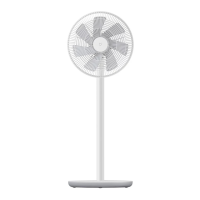
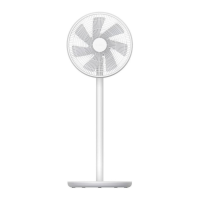
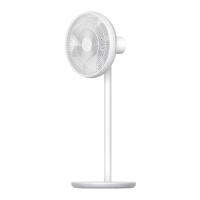
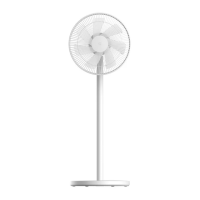
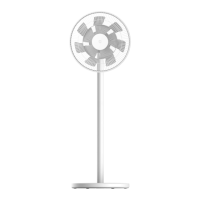
Smart Standing Fan 2 Pro User Manual

Questions and Answers

  • J
    jordankennethAug 10, 2025
    What to do if my Xiaomi BPLDS03DM is unable to connect to Wi-Fi?
    • C
      christopherbeltranAug 11, 2025
      If your Xiaomi Fan can't connect to Wi-Fi, here are a couple of things to check: * The fan might be trying to connect to a 5 GHz Wi-Fi network. Connect to a 2.4 GHz Wi-Fi network instead. * If the fan has been offline for more than half an hour, try resetting the Wi-Fi connection.
  • C
    cassandra89Aug 18, 2025
    What to do if Xiaomi BPLDS03DM Fan blades are stuck?
    • S
      Sarah WilliamsAug 18, 2025
      If the blades of your Xiaomi Fan are stuck, it might be due to a foreign object. Unplug the fan and carefully remove the object that's causing the blockage.
  • G
    gloweAug 25, 2025
    Why my Xiaomi Fan doesn't work?
    • J
      Jill MorrisonAug 26, 2025
      If your Xiaomi Fan isn't working, there might be a few reasons: 1. The stand may not be correctly connected to the fan base. Ensure you correctly install the fan base with the stand. 2. The child lock might be enabled. Try disabling the child lock function. 3. The battery could be depleted. Charge the fan using the charging base.
  • C
    cruzbrianSep 1, 2025
    What to do if the batery level indicator does not light up on Xiaomi BPLDS03DM Fan?
    • N
      Norma MedinaSep 1, 2025
      If the battery level indicator on your Xiaomi Fan isn't lighting up, it could be that the battery has entered sleep protection mode. To resolve this, connect the fan to the charging base to activate the battery.

Summary

Safety Instructions

Warnings

Improper use may lead to electric shocks, fire, personal injury, or other damage.

Precautions

Guidelines for installation, transportation, fan usage, charging, and maintenance.

Installation

Step 1: Open the fan assembly

Instructions for disassembling the front grille, rear grille, and fan blade assembly.

Step 2: Install the rear grille

Procedure for installing the rear grille onto the motor shaft.

How to Use

Charging

Guidelines for charging the fan, with and without a power outlet.

Connecting with Mi Home;Xiaomi Home App

Guide to connect the fan to the Mi Home/Xiaomi Home app for control.

Care & Maintenance

Specifications

Troubleshooting

Warranty Notice

Environmental Notice

Xiaomi BPLDS03DM Specifications

General IconGeneral
CategoryFan
ModelBPLDS03DM
BrandXiaomi
Product TypeStanding Fan
Power SourceAC Power
Rated Voltage220V
Rated Frequency50Hz
Number of Speed Settings4
Maximum Air Delivery20 m³/min
Safety CertificationCCC
Wireless ConnectionWi-Fi
Control MethodApp
Blade MaterialPlastic

Related product manuals