EasyManua.ls Logo

Xiaomi BPLDS02DM - User Manual

Xiaomi BPLDS02DM
13 pages
Print Icon
To Next Page IconTo Next Page
Loading...
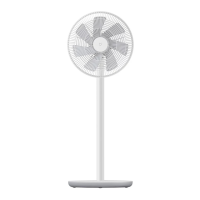
Mi Smart Standing Fan 2 User Manual

Questions and Answers

  • J
    Joseph RodriguezAug 10, 2025
    What to do if Xiaomi Fan is unable to connect to Wi-Fi?
    • P
      Patricia TorresAug 10, 2025
      If your Xiaomi Fan is unable to connect to Wi-Fi, it might be due to the following reasons: * The fan might be trying to connect to a 5 GHz Wi-Fi network. Connect to a 2.4 GHz Wi-Fi network instead. * If the fan has been offline for more than half an hour, try resetting the Wi-Fi connection.
  • B
    barrycharlesAug 17, 2025
    What to do if Xiaomi BPLDS02DM Fan blades are stuck?
    • K
      Kari RichardsonAug 17, 2025
      If your Xiaomi Fan blades are stuck, it is possible that a foreign object is obstructing them. Unplug the fan from the power source and carefully remove the foreign object.
  • R
    Ryan HolmesAug 25, 2025
    Why Xiaomi BPLDS02DM Fan doesn't work?
    • Y
      Yolanda HillAug 25, 2025
      If your Xiaomi Fan isn't working, here are a few things to check: * Ensure the fan is connected to a functioning electrical outlet that meets the fan's power requirements. * Verify that the power cord is securely plugged into the power port. * Confirm that the fan base is correctly installed with the stand. * Check if the child lock function is enabled and, if so, disable it.
  • W
    william41Sep 1, 2025
    Why Xiaomi BPLDS02DM oscillation function does not work?
    • P
      Patrick TurnerSep 1, 2025
      If the oscillation function on your Xiaomi Fan isn't working, it might be because the fan is in the auto-oscillation state. Wait for the auto-oscillation to complete, which should take no more than 14 seconds.

Summary

Safety Instructions

WARNINGS

General safety warnings for the fan, covering electrical hazards, misuse, and user supervision.

PRECAUTIONS

Important precautions for installation, transportation, fan usage, and power cord handling.

Installation

How to Use

Connecting to an electrical outlet

Instructions for connecting the fan to the power supply and verifying connection.

Turning On;Off

How to start and stop the fan operation using the power button.

Switching Speed;Mode

Adjusting fan speed and switching between operating modes.

Care & Maintenance

Troubleshooting

Xiaomi BPLDS02DM Specifications

General IconGeneral
BrandXiaomi
ModelBPLDS02DM
CategoryFan
LanguageEnglish

Related product manuals