XIAOMI-MI.COM
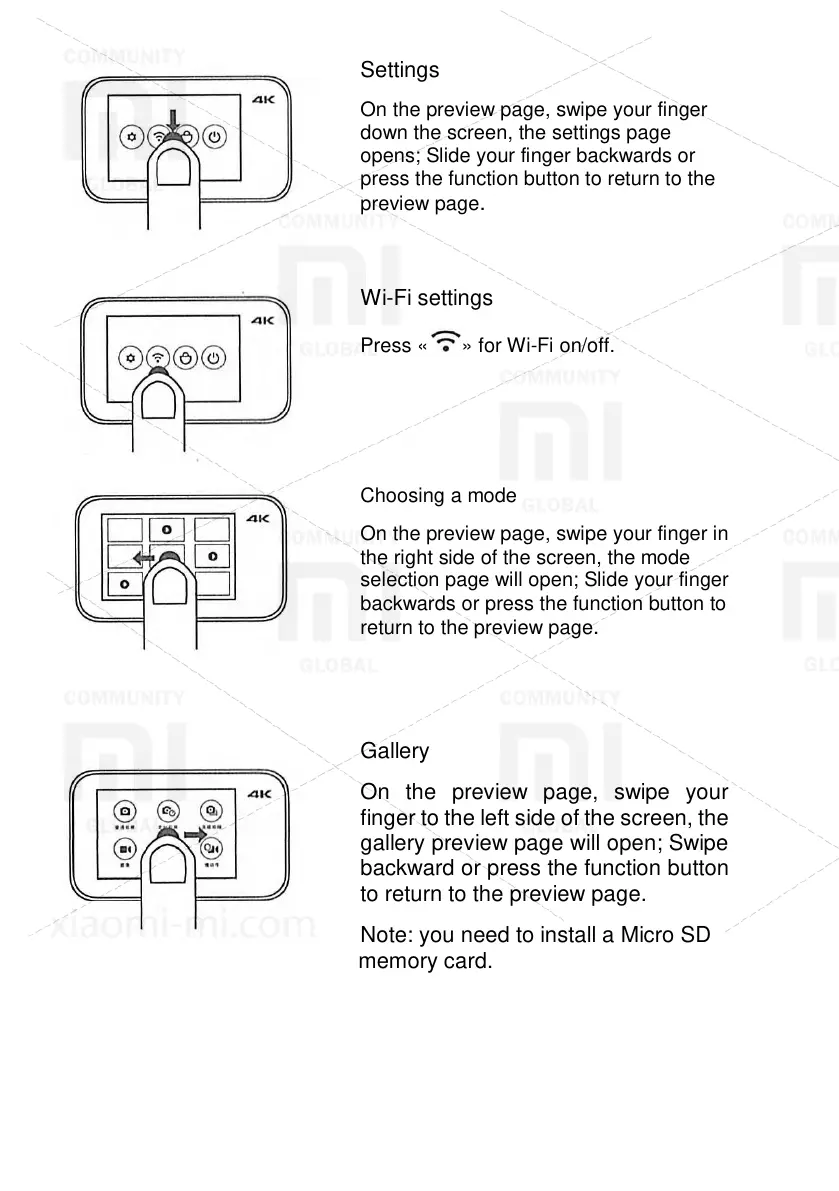
On the preview page, swipe your finger
down the screen, the settings page
opens; Slide your finger backwards or
press the function button to return to the
preview page.
Press « » for Wi-Fi on/off.
On the preview page, swipe your finger in
the right side of the screen, the mode
selection page will open; Slide your finger
backwards or press the function button to
return to the preview page.
Gallery
On the preview page, swipe your
finger to the left side of the screen, the
gallery preview page will open; Swipe
backward or press the function button
to return to the preview page.
Note: you need to install a Micro SD
memory card.









 To Next Page