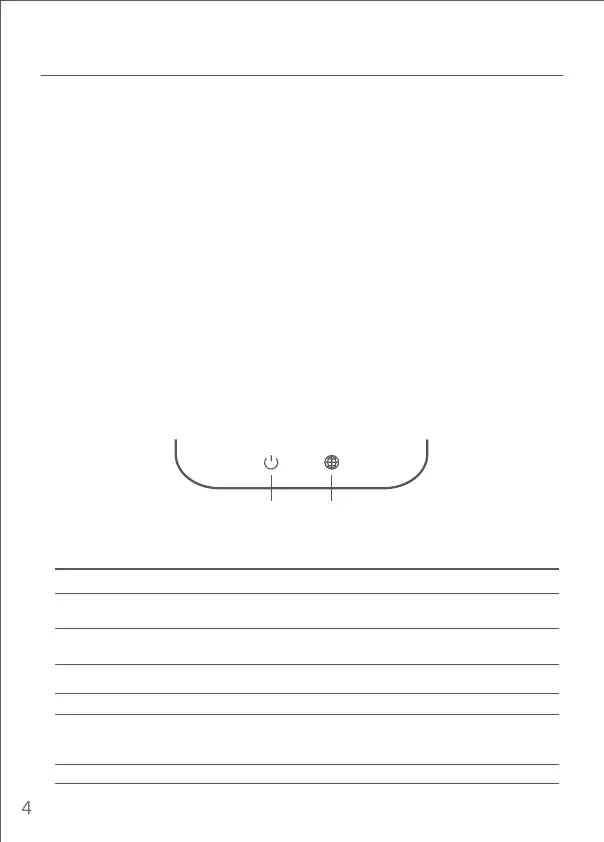
Flashing: System update is in process
Solid (turns blue aer approx. one minute): System is booting up
Solid (doesn’t turn blue aer approx. two minutes): System fault
The router is not connected to a power source
Solid: Working normally
Two-colour indicator light (blue and orange)System status light
Off
Orange
Blue
Solid: The network cable is plugged into the WAN port but
the upstream network is not available
Solid: The network cable is plugged into the WAN port and
the upstream network is available
The network cable is not plugged into the WAN port
Two-colour indicator light (blue and orange)Network status light
Off
Orange
Blue
System status light Network status light
I have finished seing up my network. Why can't I connect to the Internet?
Step 1:
Use your phone to search for the Wi-Fi network set by your router. If you can’t find it,
make sure that the router is connected to the power and starts working normally
Step 2: Connect your phone to your router's Wi-Fi network, go to "router.miwifi.com", and
try to fix the problem based on the network diagnostics results
I've forgoen the administrator password for my router. What should I do?
If you haven’t set a specific password, your administrator password will be the same as your
Wi-Fi password, so try using this to log in. If the problem persists, it is recommended that
you restore your router to the factory seings, then set up the network again
How do I restore my router to the factory seings?
First make sure that the router starts working normally, then hold down the Reset buon at
the base of the router for more than 5 seconds and let go when the system status light
turns orange. When the router finishes restarting, the reset was successful
What do the different indicator lights mean on the router?
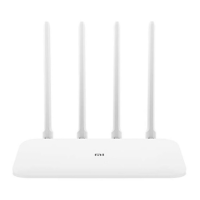
There should be two indicator lights on the front panel, which are the network status light
(two colours: blue and orange) and the system status light (two colours: blue and orange)
FAQ





 To Next Page