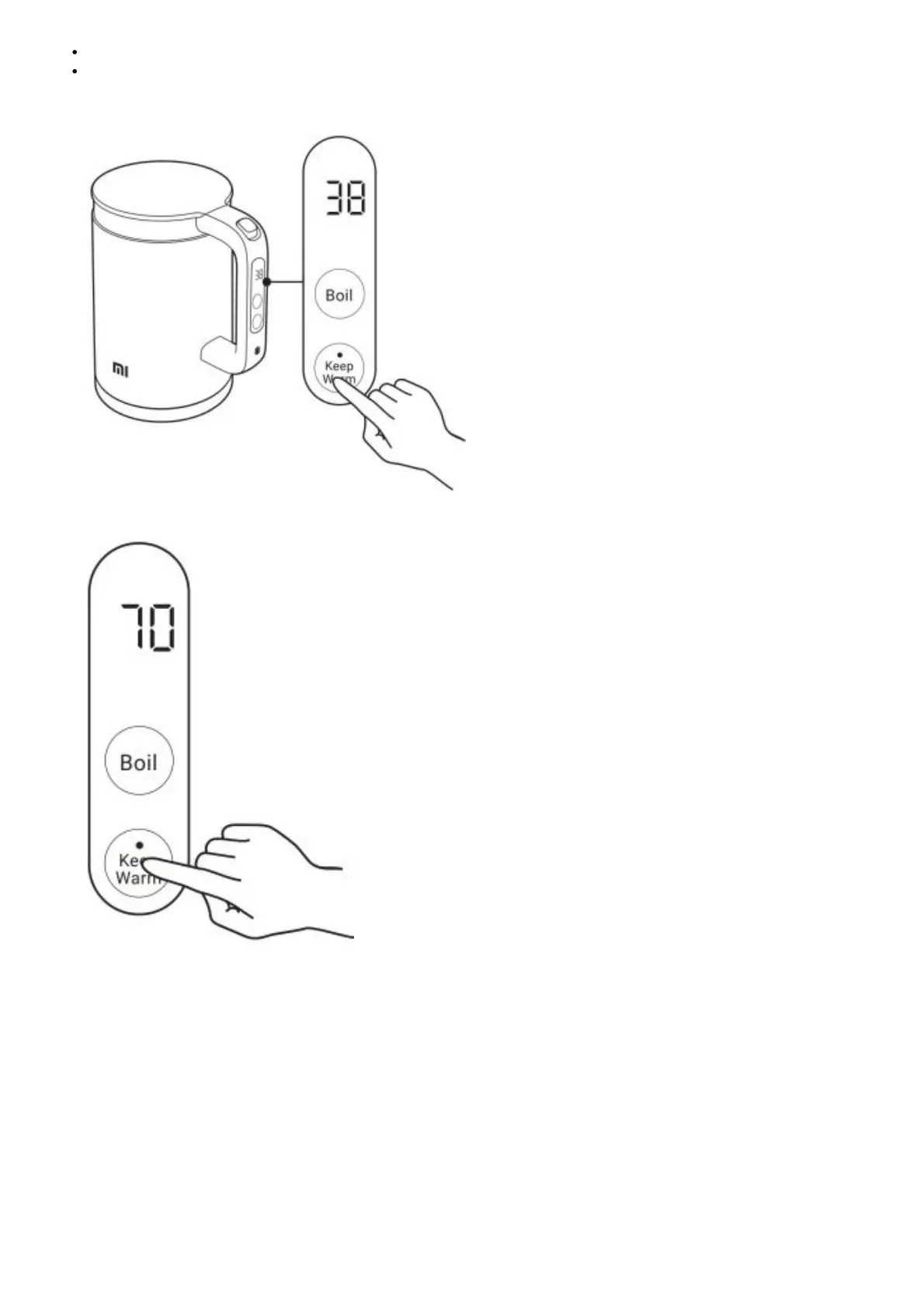
The default keep warm duration for the temperature levels is 12 hours. You can change the duration in the app.
Heating the empty kettle will activate the boil-dry protection feature and turn off the display. Cool the kettle down to room
temperature, then add water to use it.
1. Press the keep warm button, the display digit blinks. Then you can select keep warm levels.
2. Select one of five levels of keep warm temperatures during digit blinking. The selected level will take effect if there is no
operation on the button within 2 seconds. The kettle will then start heating to the set temperature.
3. When the kettle reaches the set temperature, it will beep three times. The keep warm indicator will turn into orange, and
the kettle will keep the water warm at the set temperature.



 To Next Page