16
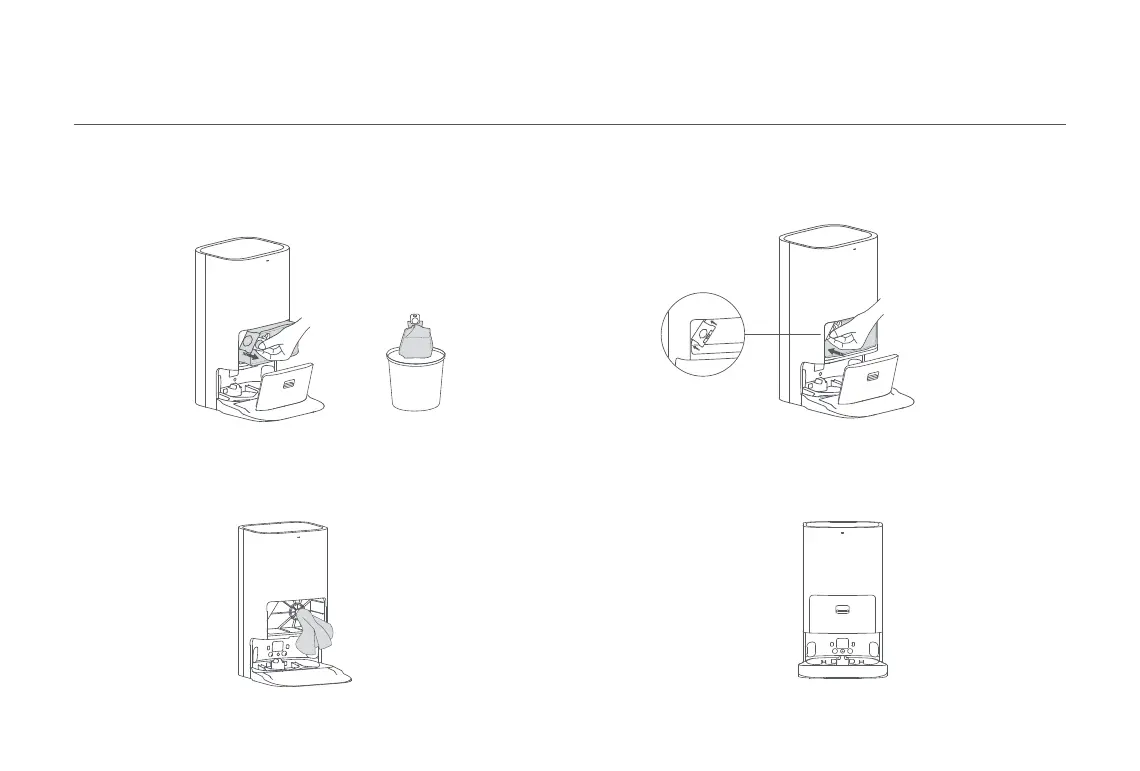
1. Press the dust cabinet release button, then tilt the dust cabinet cover
downwards to open it. Remove the disposable bag from its handle, and
discard the bag.
3. Install the disposable bag as illustrated and insert the handle of the
bag into the slot. Make sure the bag is installed securely in place.
2. Remove the dust and debris from the filter with a dry cloth.
4. Close the cover of the dust cabinet. It is secured properly when you
hear a click.
Disposable Bag
Note: Pulling upwards on the handle will seal the bag to prevent the dust and debris
from accidentally falling out.
Click





 To Next Page