Basic Elements 33
Xilinx Blocks
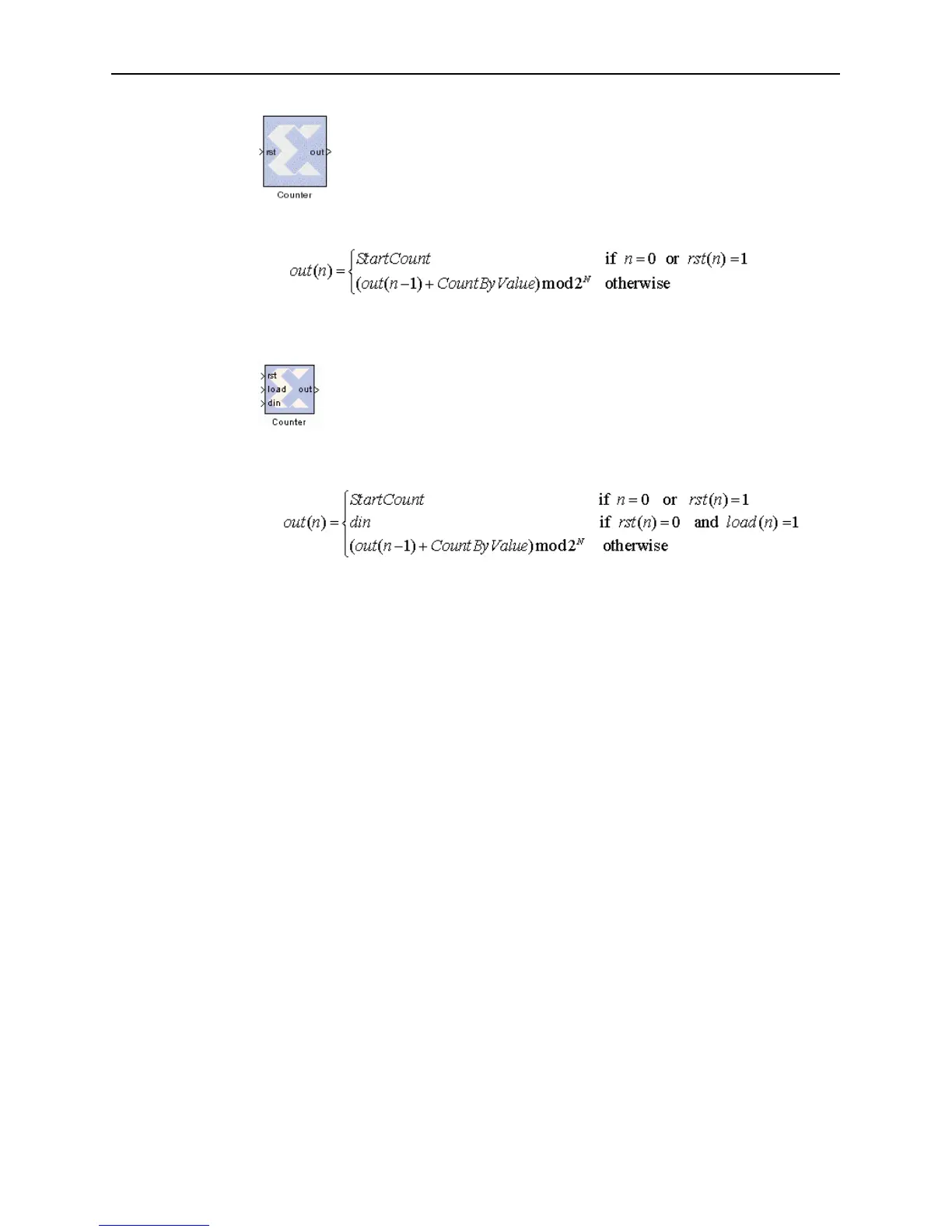
The block can be configured as a free running up or down counter by
selecting the Provide Reset Pin option on the block parameters
dialog box. In this case, the block has a reset input port in addition to its
output port.
The output for a free running up counter is calculated as follows:
Here N denotes the number of bits in the counter. The down counter calculations
replace addition by subtraction.
The free running up or down counter can be configured to load the
output of the counter with a value on the input din port by selecting the
Provide Load Pin option on the block parameters dialog box.
In this case, the block has three (rst, Load, din) input ports in
addition to its output port.
The output for a free running up counter with load capability is calculated as follows:
Here N denotes the number of bits in the counter. The down counter calculations
replace addition by subtraction.



 To Next Page