Introduction
Chapter 2
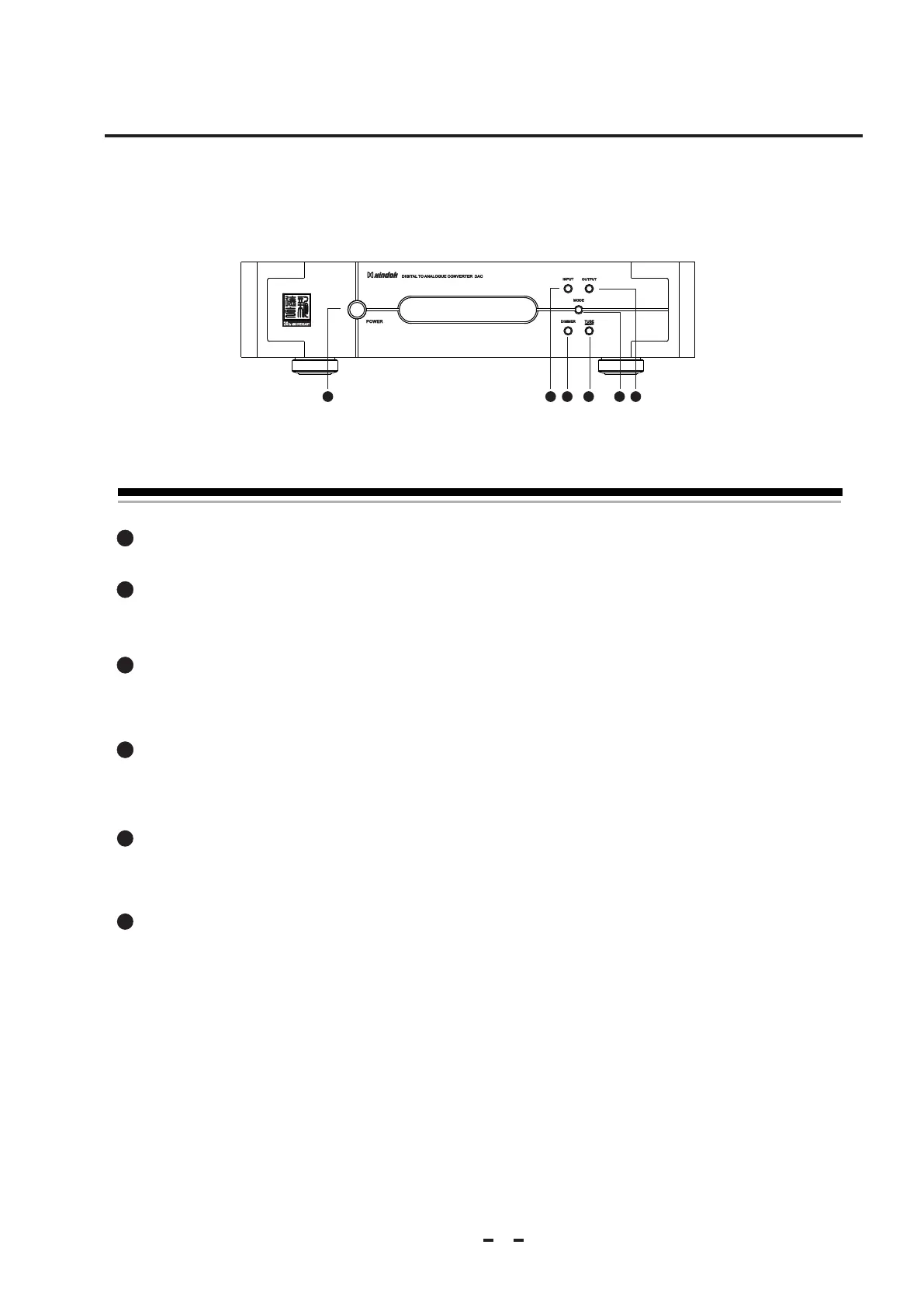
2.1 Front panel
2
1
2
3
4
Power Button:
This button connects and disconnects the DAC from the AC mains power.
Input Selection Button:
Press down this button, you can select loop input signal: coaxial-optical-BNC-balance-PC USB The display
screen will display the corresponding input way.At this point the unit have power off memory function.
Dimmer Button:
Press this button to adjust the display screen lightness circularly in 4 grades. At this point the unit have
power off memory function.
Tube switch:
You can turn on and off the tube power through this switch. When you not need the tube
amplifying output for a long time , please turn off the tube power so as to protect the tube well.
Mode button:
Press this button, can set the work mode as 192KHz/24bit or 96KHz/24bit. The display screen will display corresponding
work mode.At this point the unit have power off memory function.
Output Switch:
You can chose tube amplifying and operate amplifying output through this switch. At this point the unit
have power off memory function.
5
6
5
6
1
3 42



 To Next Page