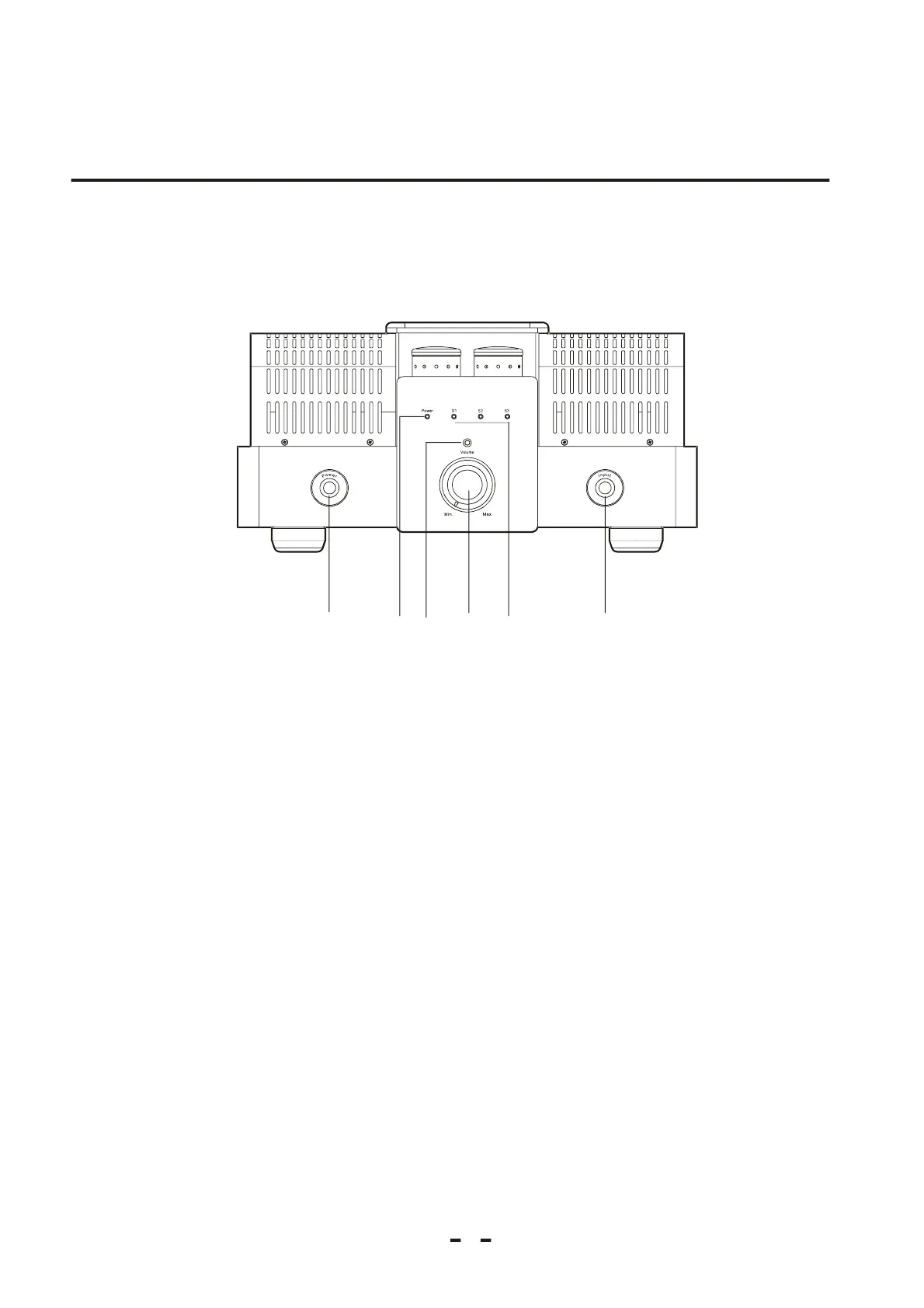
Thepowersupplyon-offbutton
Pressthisbutton,thecurrentwillbeputthrough;pressitagain,thecurrentwillbecutoff.
Powerindicator
Thisindicatorwillbelightonwhenpoweron,whichshowsthisunitisduringwarm-up.
IRSensorRemotecontrolsignalreceiver.
Receivethesignalsendbytheremotecontroller
Soundvolumecontrolbutton
Thesoundvolumewillbeincreasedwhilethisbuttonisadjustedclockwiseanddecreasedwhileadjustedanticlockwise.
S1--S3
Inputsignalselectionbutton
Theinputpathwillchangewhilethisbuttonispressedeachtime.
3
2.1 FrontPanel
Chapter2
5
5
❶❷❸❹❺❻
❶
❷
❸
❹
❺
❻
Theindicatorforsignalinput
ProductAppearance


 To Next Page