EasyManua.ls Logo

XK A800 - Hand Throwing Takeoff; 3 D;6 G Mode Switch

Default Icon
12 pages
Print Icon
To Next Page IconTo Next Page
To Previous Page IconTo Previous Page
Loading...
Hand
throwing
takeoff
right
way
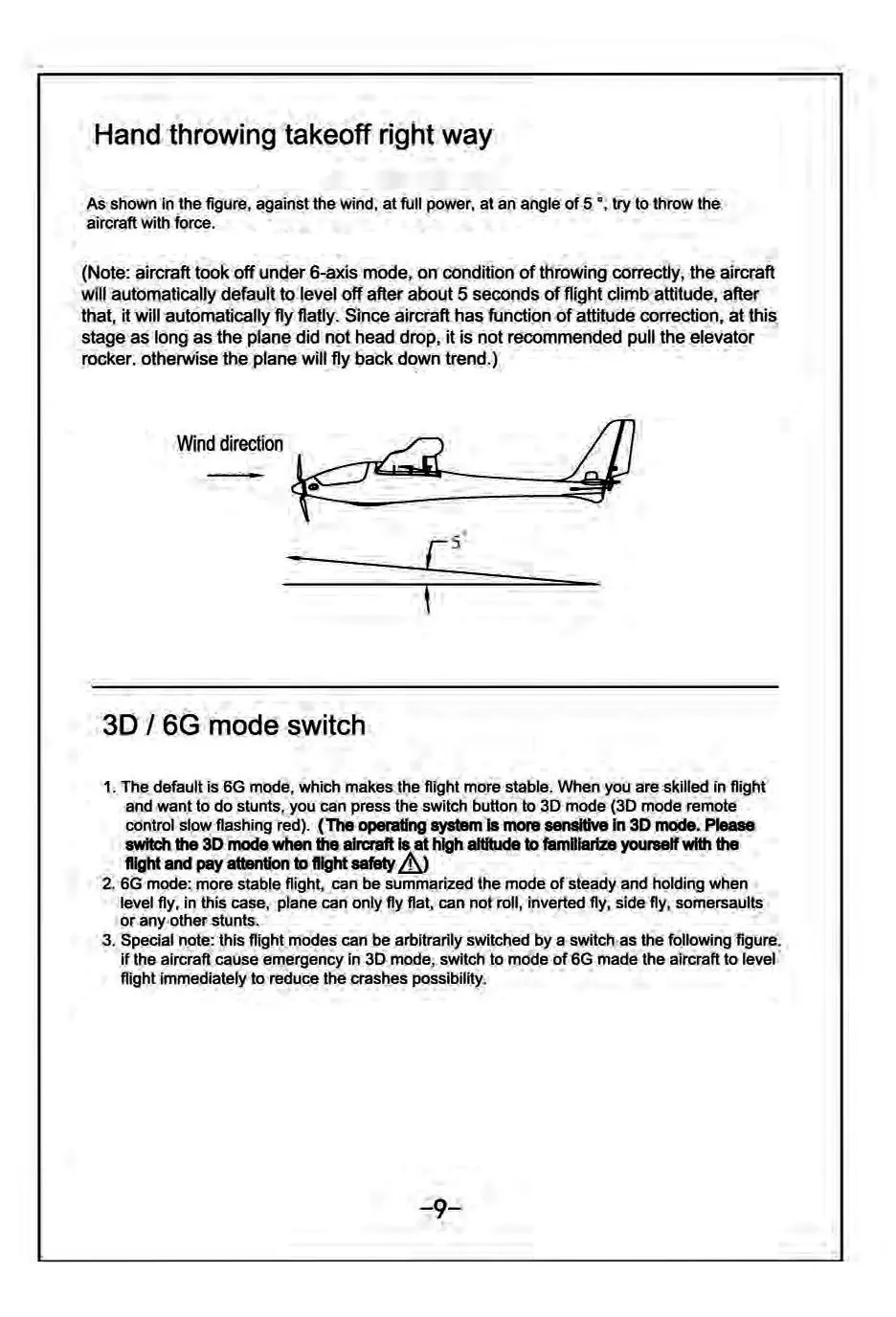
As
shown
Iin
the
figure,
against
the
wind,
at
full
power,
at
an
angle
of
5
*,
try
to
throw
the
aircraft
with
force.
(Note:
aircraft
took
off
under
6-axis
mode,
on
condition
of
throwing
correctly,
the
aircraft
will
automatically
default
to
level
off
after
about
5
seconds
of
flight
climb
attitude,
after
that,
it
will
automatically
fly
flatly.
Since
aircraft
has
function
of
attitude
correction,
at
this
stage
as
long
as
the
plane
did
not
head
drop,
it
is
not
recommended
pull
the
elevator
rocker.
otherwise
the
plane
will
fly
back
down
trend.)
Wind
direction
——
\%
3D
/
6G
mode
switch
1.
The
default
is
G
mode,
which
makes
the
flight
more
stable.
When
you
are
skilled
in
flight
and
want
to
do
stunts,
you can
press
the
switch button
to
3D
mode
(3D
mode
remote
control
slow
flashing
red).
(
The
operating
system
is
more
sensitive
in
3D
mode.
Please
switch
the
3D
mode
when
the
aircraft
is at
high
altitude
to
familiarize
yoursalf
with
the
flight
and
pay
attention
to
flight
safety
/\)
2.
6G
mode:
more
stable
flight,
can
be
summarized
the
mode
of
steady
and
holding
when
level
fly,
in
this
case,
plane
can
only
fly
flat,
can
not
roll,
inverted
fly,
side
fly,
somersaults
or
any-other
stunts.
3.
Special
note:
this
flight
modes
can
be
arbitrarily
switched
by
a
switch.as
the
following
figure.
if
the
aircraft
cause
emergency
in
3D
mode,
switch
to
mode
of
6G
made
the
aircraft
to
level
flight
immediately
to
reduce
the
crashes
possibility.

Related product manuals