EasyManua.ls Logo

XK A800 - Technical Setup and Maintenance; Matching Frequency Guide; Pre-flight Preparation and Adjustments

Default Icon
12 pages
Print Icon
To Next Page IconTo Next Page
To Previous Page IconTo Previous Page
Loading...
Matching
frequency
guide
of
TX
and
receiver
Model
you
bought
has
completed
frequency
matching
at
factory,
if
need
to
match
frequency
again,
please
follow
the
following
tips:
1.
First,
open
power
of
TX,
and
pull
throttle
lever
ta
the
lowermost
position.
2.
Connect
the
power
battery,
power
on
the
receiver
board,
the red
indicator
light
on
it
is
on,
the
frequency
is
completed
3.
Avoid
opening
TX
with
same
type
and
same
frequency
around
at
the
same
time
so
as
not
to
impact
on
maiching
frequency.
Pre-flight
preparation
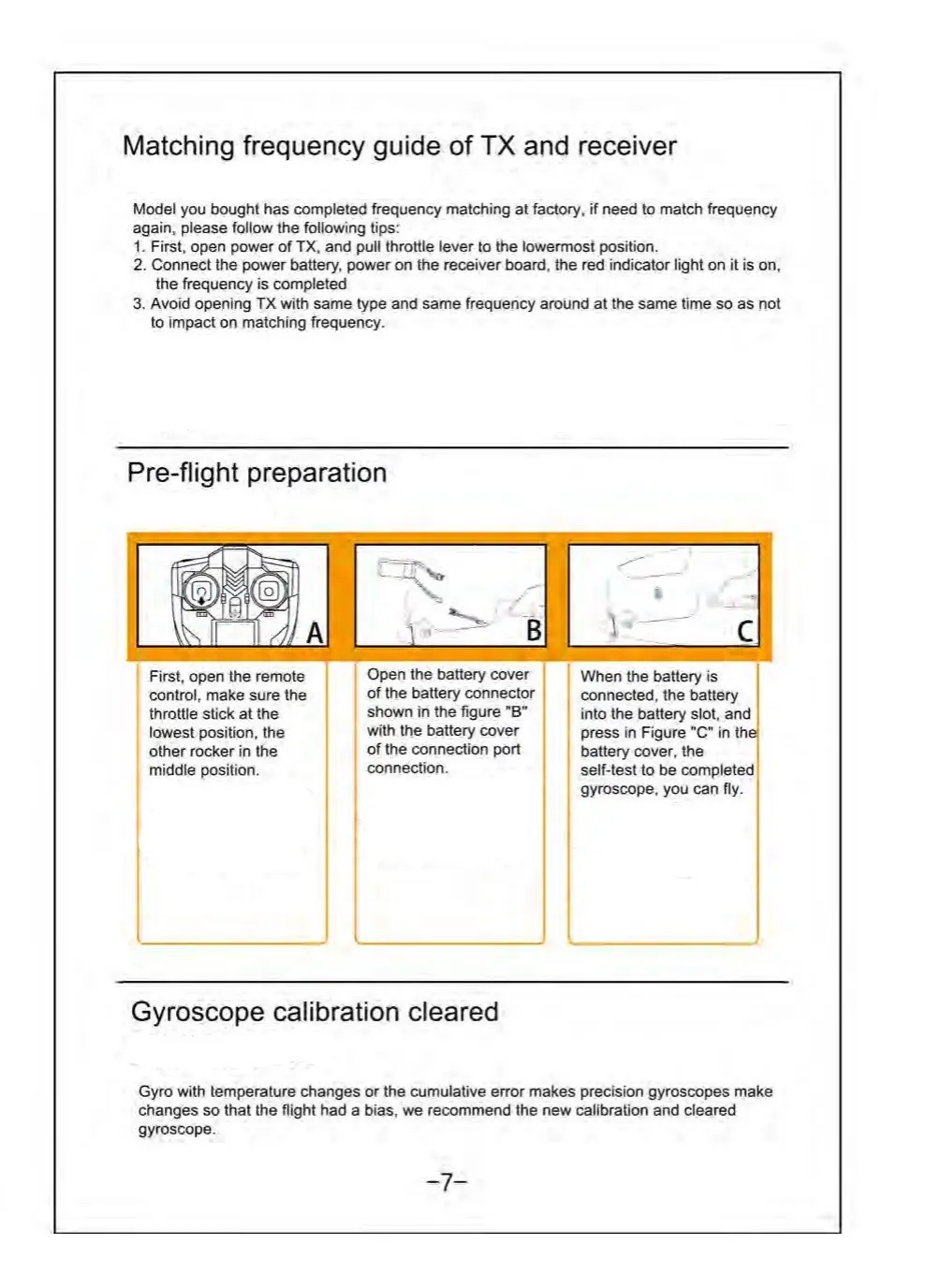
First,
open
the
remote
control,
make
sure
the
throttle
stick
at
the
lowest
position,
the
other
rocker
in
the
middle
position.
QOpen
the
battery
caver
of
the
battery
connector
shown
in
the
figure
"B"
with
the
battery
cover
of
the
connection
port
connection.
When
the
battery
is
connected,
the
battery
into
the
battery
slot,
and
press
in
Figure
"C"
in
the,
battery
cover,
the
self-test
to
be
completed
gyroscope,
you can
fly.
Gyroscope
calibration
cleared
Gyro
with
temperature
changes
or
the
cumulative
error
makes
precision
gyroscopes
make
changes
so
that the
flight
had
a
bias,
we
recommend
the
new
calibration
and
cleared
gyroscope.
...7_

Related product manuals