EasyManua.ls Logo

XK A800 - USB Charger Usage

Default Icon
12 pages
Print Icon
To Next Page IconTo Next Page
To Previous Page IconTo Previous Page
Loading...
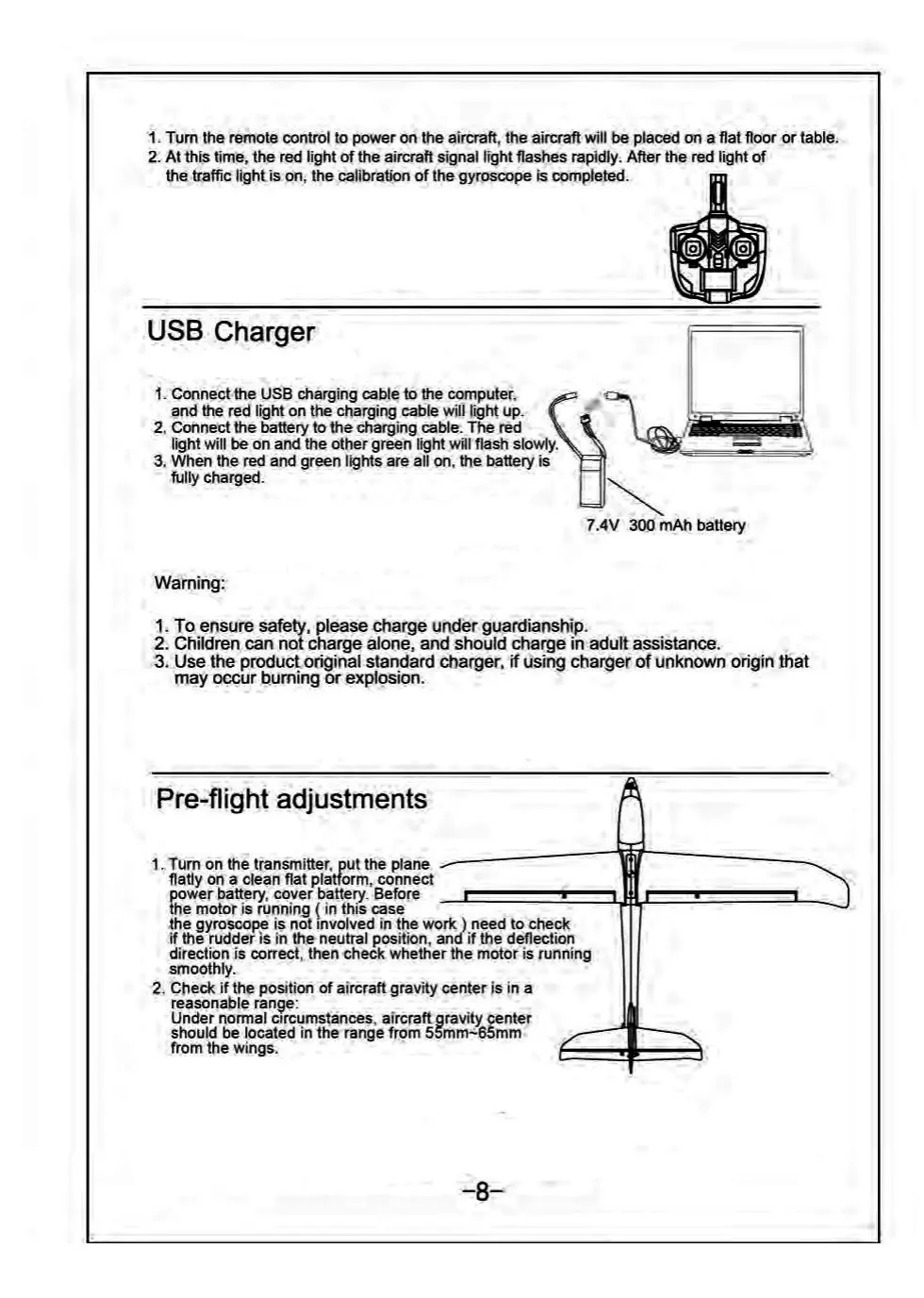
1.
Turn
the
remote
control
to
power
on
the
aircraft,
the
aircraft
will
be
placed
on
a
flat
floor
or
table.
2.
At
this
time,
the
red
light
of
the
aircraft
signal
light
flashes
rapidly.
After
the
red
light
of
the
traffic
light
is
on,
the
calibration
of
the
gyroscope
is
completed.
USB
Charger
1.
Connect
the
USB
charging
cable
to
the
computer,
and
the
red
light
on
the
charging
cable
will
light
up.
2,
Connect
the
battery
to
the
charging
cable.
The
red
light
will
be on
and
the
other
green
light
will
flash
slowly.
3.
When
the
red
and
green
lights
are
all
on,
the
batlery
is
fully
charged.
:
7.4V
300
mAh
battery
Warning:
1.
To
ensure
safety,
fllease
charge
under
guardianship.
2.
Children
can
not
charge
alone,
and
should
charge
in
adult
assistance.
3.
Use
the
product
original
standard
charger,
if
using
charger
of
unknown
origin
that
may
occur
burning
or
explosion.
Pre-flight
adjustments
1.
Turn
on
the
transmitter,
put
the
plane
flatly
on
a
clean
flat
platform,
connect
ower
battery,
cover
battery.
Before
he
motor
is
running
(
in
this
case
the
gyroscaope
is
not
involved
in
the
work
)
need
to
check
if
the
rudder
is in
the
neutral
position,
and
if
the
deflection
direction
is
correct,
then
check
whether
the
motor
is
running
smoothly.
2.
Check
if
the
position
of
aircraft
gravity
centeris
in
a
reasonable
range:
Under
normal
circumstances,
aircraft
gravity
center
should
be
located
in
the
range
from
556mm=65mm
from
the
wings.

Related product manuals