MUTE
STATUS
MUTE
STATUS
VEHICLE DETECTOR
MIC SPEAKER
1
2
HEADSETS PAIR
PAIR
PAIR
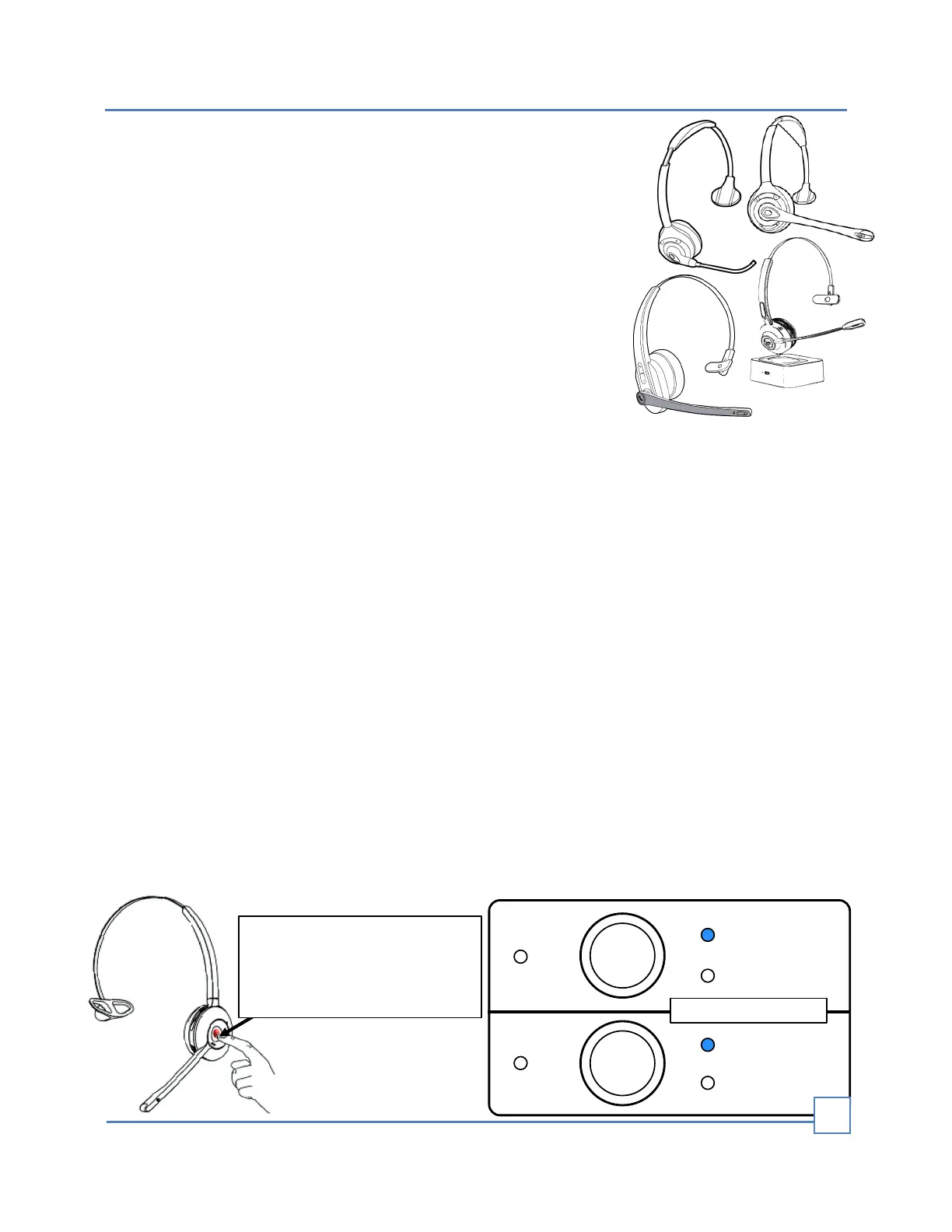
Starting with the power o,
to enter pairing mode, hold
the power button down for
3-5 seconds.
Bluetooth headsets
The DTX1 intercom is compatible with most Bluetooth headset
brands on the market. These headsets can be identied as call
center headsets, trucker headsets, conference headsets, etc.,
and vary in some features, such as battery size, talk and
standby duration, audio quality, and microphone sensitivity.
Overall, commercial headsets typically have similar
functionalities, regardless of the price. Since all intercoms are
designed to work better with voice frequencies, there is no need
for a high-delity headset, which is better for music.
This DTX1 intercom compatibility feature allows for quick and
inexpensive headset replacement. No need to pay for high-
priced proprietary brand headsets or costly service and repairs
from authorized dealers only.
Pairing
Before you can start using your system, you must rst pair your headsets with the Base
Station. Pairing links the headset to the Base Station, allowing it to recognize your
headset and communicate with it.
To pair the Bluetooth headset with the Base Station:
• Make sure that OVERRIDE is disabled and that there is NO car in the drive-thru lane.
• If no headset is paired or connected, the blue STATUS LED should be blinking.
• Put the Bluetooth headset in pairing mode (see your headset's user manual for
instructions.), usually by holding the headset power button for 3-5 seconds. It will be
blinking RED/BLUE when entering in pairing mode.
• Hold the Base Station “PAIR” button on headset (1 or 2) for 2 seconds.
• Release the “PAIR” button when you hear the conrmation tone.
• Keep your Bluetooth headset within 2 feet of the Base Station while pairing.
• The pairing process can take up to 3 minutes.
• When the headset is paired with the Base Station, the blue STATUS LED will turn on
solid.
• If pairing fails, power reset the Base Station (turn it OFF and then back ON) and try
again.
• Repeat the same actions to pair the other Bluetooth Headset.
PAIRING BLUETOOTH HEADSETS
5


 To Next Page
 Loading...