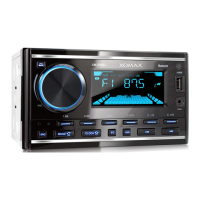
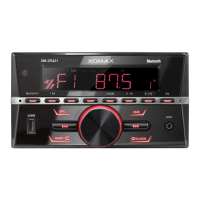
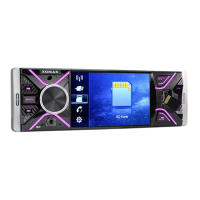
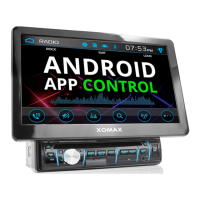
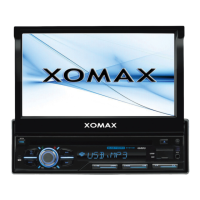
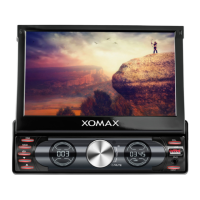
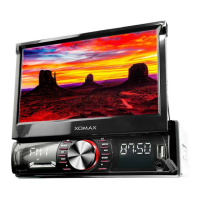
This document outlines the features and operation of a Car Multimedia Player, model MP5, designed to enhance your in-car entertainment and connectivity experience. It covers essential aspects from installation notes to detailed menu functions, troubleshooting, and remote control operation.
The Car Multimedia Player is specifically designed for 12V car interiors. Proper cable connection, as illustrated in the diagram, is crucial to prevent damage to the device or the car's electronic system. Speaker cables must be connected directly to the car's speaker cables and not to the car body. All connections should be verified before powering on the machine. When replacing a fuse, ensure it is of the same size. To prevent fire hazards, avoid blocking air vents and heating panels. After installation, a RESET operation is recommended for initial setup. The device should not be turned off during installation, and installation is not recommended for individuals under 18 years of age. Wearing gloves during installation is advised to prevent scratches.
The main menu provides access to various functions:
- Home: Returns to the main screen.
- Fm: Displays the current date and time.
- Bluetooth: Manages Bluetooth connections.
- F.CAM: Accesses the front camera.
- AV IN: Selects audio/video input.
- PhoneLink: Connects to a smartphone.
- SD: Accesses content from an SD card.
- USB: Accesses content from a USB device.
- GPS: Navigates to the GPS function.
Radio Functions
The radio interface allows for comprehensive control over FM and AM bands:
- Reverse fine-tuning: Adjusts the frequency precisely.
- Bluetooth: Accesses Bluetooth functions from the radio screen.
- Time: Displays the current time.
- Back to main menu: Returns to the main menu.
- Change the volume: Adjusts the audio volume.
- Brightness: Controls screen brightness.
- Return to the main menu: Navigates back to the main menu.
- Change FM1, FM2, FM3, AM: Switches between different radio bands.
- Searching channel (AS/PS): Automatically searches and saves stations.
- SCAN: Scans available radio stations.
- Equalizer: Adjusts audio equalization settings.
- Previous channel: Tunes to the previous saved station.
- Saved Radio: Displays a list of saved radio stations.
- Next channel: Tunes to the next saved station.
USB/SD Playback
The device supports playing music, videos, and photos from USB drives and SD cards (up to 32GB).
- Music Playback: Supports MP3, MP2, MP1, WMA, OGG, APE, FLAC, AC3, DTS, RA, AAC, AMR, ATRC, MID, WAV formats. Features include changing volume, navigating through music, video, picture, and folder views, stop/play, loop, previous/next track, and shuffle play.
- Video Playback: Supports AVI, DIVX, PMP, 3GP, MP4, M4V, F4V, MPG, MPEG, VOB, DAT, RM, RAM, RMVB, FLV, WMV, ASF, MKV, PSR, TP, TRP, TS, M2TS, MOV formats. Features include changing volume, rewind, fast forward, font size adjustment, and full screen mode.
Bluetooth (BT) and AUX IN Functions
- Bluetooth: The default BT settings password is "0000". Functions include picking up and cutting calls, a numeric keypad for dialing, access to recent calls, BT contacts, and BT music playback. BT music allows for play/stop, previous/next track control.
- AUX IN: Allows connection of external audio sources. Features include changing volume, brightness adjustment, and returning to the main menu.
Settings
The settings menu offers customization options:
- Sound settings: Adjusts audio parameters.
- Language settings: Changes the device language.
- Other settings: Accesses miscellaneous settings.
- Radio regional settings: Configures radio frequency bands based on region.
- Wheel Controls: Sets up steering wheel controls.
- Time settings: Adjusts date and time.
- Sound settings (detailed): Includes options for RESET, FOO, LOO, ROO, BAS, TRE, User, Beep Off, and Loud Off.
- Time setting: Allows setting the year, month, day, hour, and minute, with options for 24hrs or 12hrs format.
- Language setting: Provides a list of supported languages including English, Italian, Czech, Chinese, Russian, Thai, Spanish, Turkish, Japanese, French, Arabic, Malay, Portuguese, Hebrew, Indonesian, German, and Polish. Tapping on English or Simplified Chinese can switch the language.
- Wallpaper: Allows selection of different background images (BACKGROUND1, BACKGROUND2, BACKGROUND3).
- Steering wheel control: Enables programming of steering wheel buttons. Pressing a button displays its voltage, then pressing a corresponding function on the machine, and confirming with OK, assigns the function. The machine will indicate successful learning in green.
- Display settings: Includes options for Softw, Factor, Displa, Calibrauon, Background Set, and Led BackLight.
Other Instructions
- Socket connecting (convenience receptacle): Provides a detailed diagram of the wiring harness with numbered connections for various functions such as steering wheel control, auto antenna, speaker outputs, brake wire, headlight control, 12V(B+), ACC, and ground wire.
- Socket connecting (RCA Tail): Illustrates the RCA connections for V-IN, R-CAM, V-OUT, GPS, R-IN, F-CAM, RR, L-IN, SUB, RL, A/V-IN, A-OUT, and MIC.
Troubleshooting Guide
This section addresses common issues and their solutions:
- Can't boot up:
- Reason: Power fuse burn out. Solution: Replace with the same fuse.
- Reason: Other factors causing microprocessor operation to be incorrect. Solution: Press the RST button on the drawing board with a sharp object, then restart.
- Ignition switch is turned off, all information is lost:
- Reason: Ignition line ACC and the positive power line batt are connected incorrectly. Solution: Exchange the lines and rewire.
- The remote control doesn't work:
- Reason: Battery power on the remote control is not enough. Solution: Replace the battery.
- Poor reception:
- Reason: Antenna not put outside, or ground antenna is poorly connected. Solution: Check whether the radio automatic antenna ANT is connected and verify the antenna and ground wire connections.
- Unable to convert language/subtitles:
- Reason: Disc only has one language/subtitle. Solution: Only one language/subtitle is available, so it cannot be converted.
Remote Control
The remote control provides comprehensive functionality:
- Menu key: Short press to return to the main menu; press again to return to the current state.
- Switch key (MODE): Short press to switch the machine on/off.
- Direction Left/Right/Up/Down keys: Navigate through menus (valid in any interface).
- USB/SD Menu selection: Accesses USB/SD content.
- Confirm / Play / Pause (ENTER): Confirms selection, plays/pauses audio/video.
- Tone + / SEEK+: Short press to increase volume; long press to continuously increase volume.
- Tone - / SEEK-: Short press to decrease volume; long press to continuously decrease volume.
- Band key (BND AMS): Short press to switch band; short press A M S key for automatic scanning and radio preview.
- VOL+ / Sweep - / Previous key: In radio state, for low-end scanning; when playing audio/video, for the first play.
- VOL- / Sweep + / Next key: In radio state, for high-end scanning; when playing audio/video, for the next play.
- SEL (BAS/TRE/BAL/FAD/LOUD/EQ/Bri/Con/Sat/Hue/Beep): Selects audio settings.
- Answer key: When not in BT mode, short press enters BT mode; answers calls.
- Hang up key: When an incoming call, press to end the call.
- Numeric keys (0-9): For dialing in BT mode, or selecting songs/videos when playing audio/video.

 Need help?
 General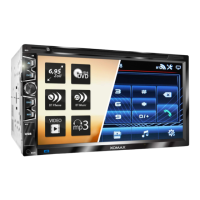

 To Next Page