ENG-18 HSD 7799
English
PLAYBACK
THIS UNIT ALLOWS YOU TO VIEW THE
OPERATIONAL STATUS AND DISC INFORMATION
ON YOUR TV SCREEN.
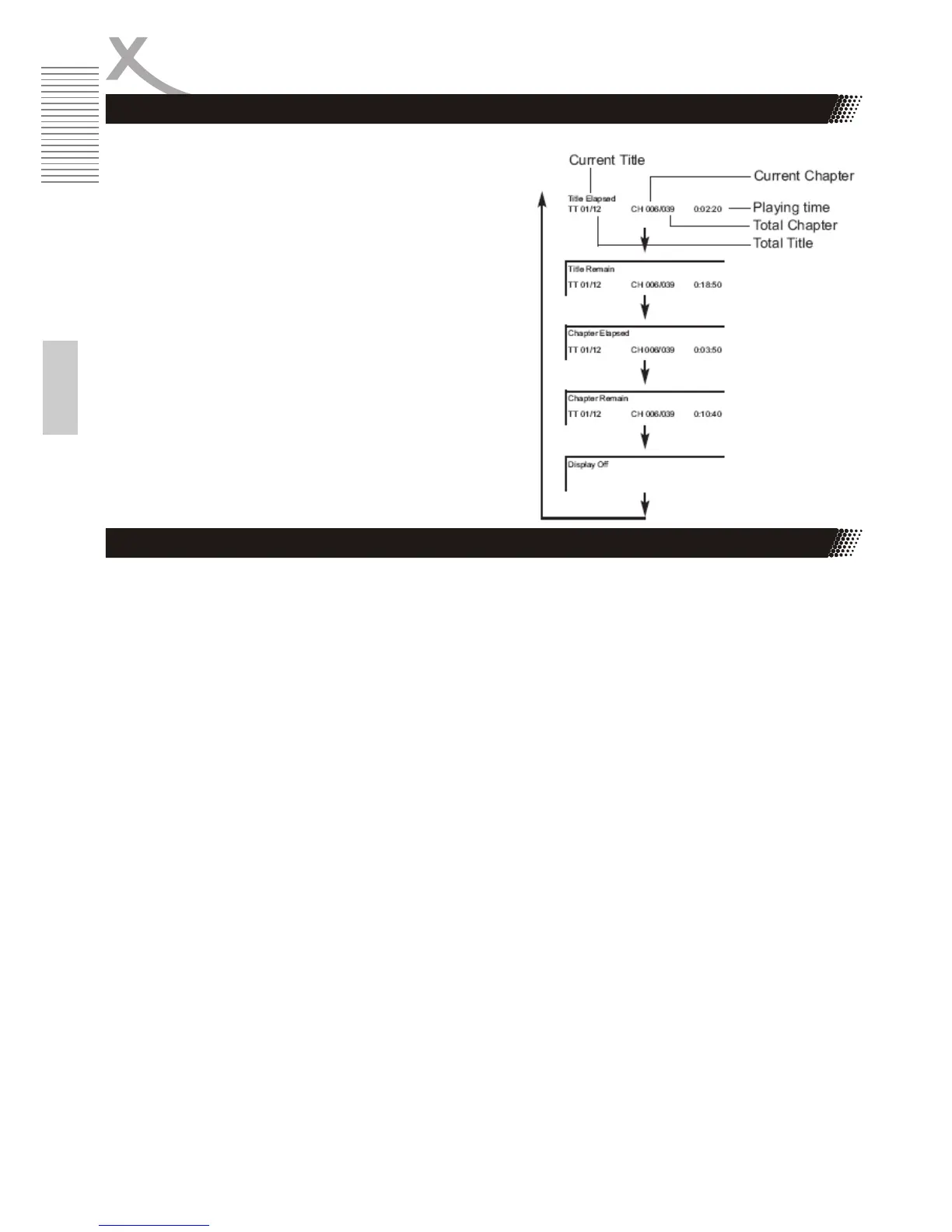
With this function you can view on your TV the
following:
x Current title
x Track number
x Total playing time
The Panel settings can only be accessed in DVD-Mode. However, these setting are also affective in
DVB-T Mode.
x Switch to DVD-Mode
x Press SETUP
x Go to VIDEO -> Panel Quality
x No you can change settings for Sharpness, Brightness, Contrast, Hue and Saturation
Press SETUP to leave Video Menu. All settings are stored.
Checking the operational status
Video Setup - Panel Quality



 To Next Page