ENG-36 HSD 7799
English
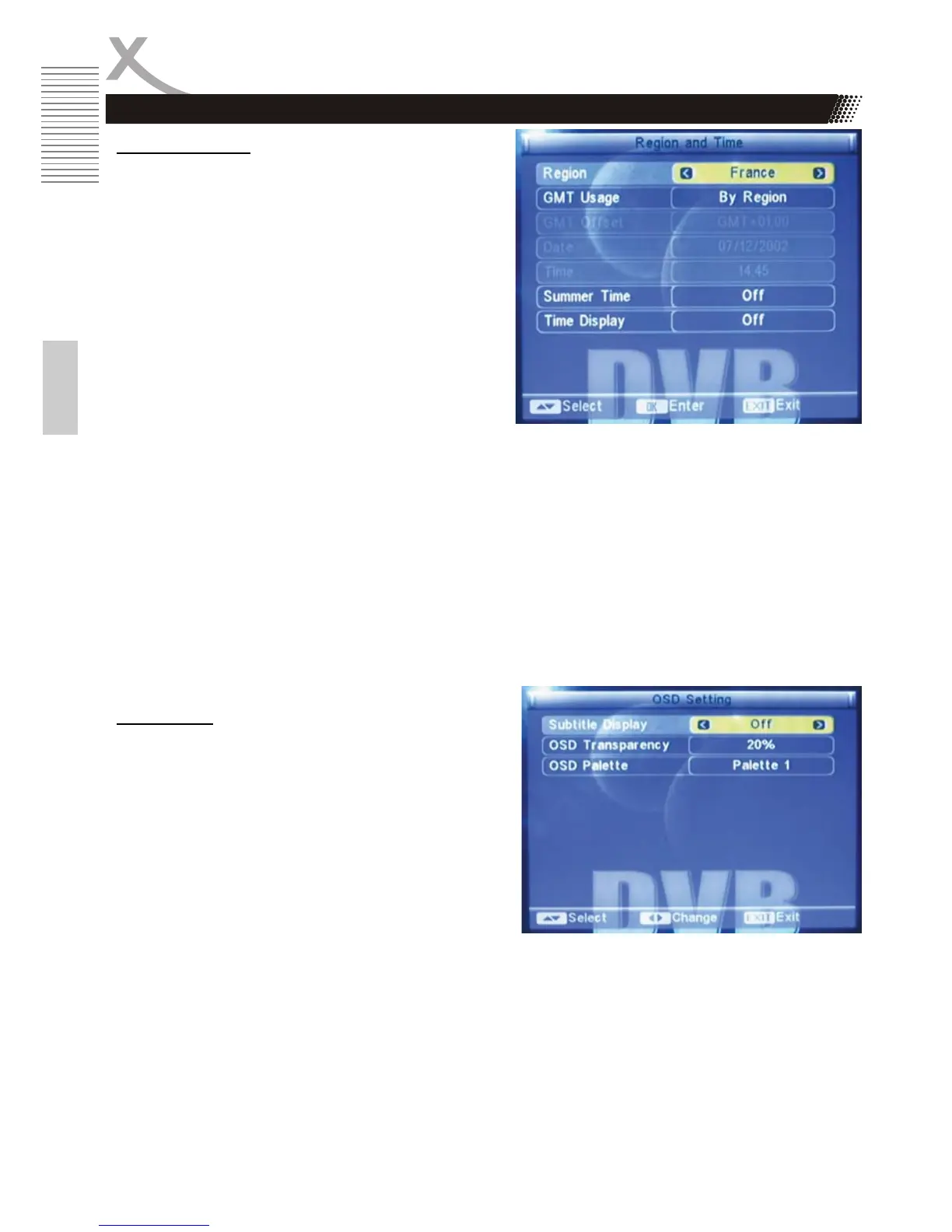
Region and Time
x Region: France, Germany, Greek, Iran, Italy,
Poland, Portugal, Russia, Spain, Sweden,
United Kingdom, Vietnam, Argentina,
Australia, Denmark, and Finland.
x GMT Usage:
1. User Define
2. By Region
3. Off
x GMT Offset: Within the range of
GMT+12:00~ GMT-11:30.
x Date. Press OK to start the setup, then use
/ button to move the cursor and the
number buttons to enter the date value.
Once the setup is done press OK to confirm, the setup gets effective.
x Time: Press OK to start the setup, then use / button to move the cursor and the number
buttons to enter the time value.
Once the setup is finished, press OK to confirm.
x Time Display: On/ Off.
Notes:
1. Only when the option GMT Usage is set to “User Define”, can GMT Offset be available to
set;
2. Only when the option GMT Usage is set to “ Off”, can Date and Time be set.
OSD Setting
x Subtitle Display: Standard/ Teletext / Off
x OSD transparency: Off, 10%, 20%, 30%, 40%
and 50%
x OSD Style: Here Style 1 and Style 2 are
available for setting.
x Load Factory OSD Setting: Press OK to load
the default OSD settings.
Configuration
DVB-T Setup



 To Next Page