ENG-15
English
Connecting to a TV set
CONNECTIONS
Turn off the power and unplug both units before setting up any connections.
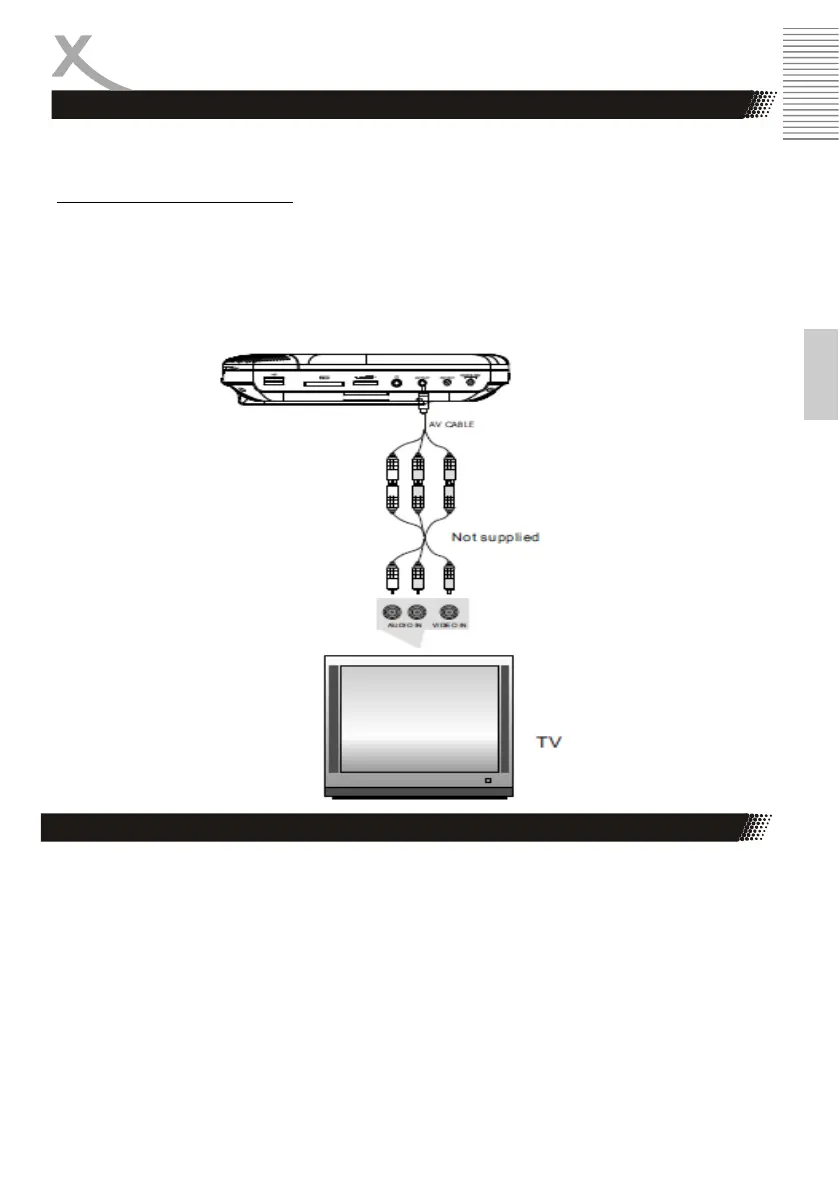
Connecting TV through AV Out
Connect the AV OUT terminals on the unit to the AV IN terminals of your TV with an AV cable
Shut down the upper cover to start the video output and turn off the sound of the unit.
Notes:
• The video output resolution should always be 480P (PAL) if you select this connection mode
and shut down the upper cover. You need not to set the resolution in Setup menu anymore.
Connect the USB device to the unit or insert a SD card in to the SD Card jack.
Notes:
• Don't pull out the USB device or the SD card from the unit when the USB device or SD card is
in use.
• Don't pull out the USB device or power off the USB device during DVD discs playback.
• The DVD Player can read and write to FAT32 file system.
Connecting to USB storage/ SD Card


 To Next Page