EasyManua.ls Logo

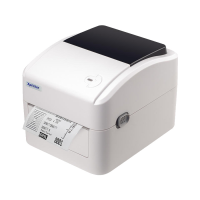
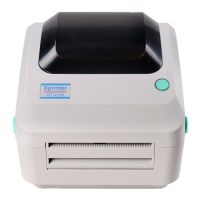
Xprinter XP-460 Series - User Manual

Xprinter XP-460 Series
40 pages
To Next Page IconTo Next Page
Loading...
DIRECT THERMAL
BARCODE PRINTER
USER’S MANUAL
XP-470/ XP-450/ XP-460/ XP-425B
Series
Direct Thermal Printer

Questions and Answers

Xprinter XP-460 Series Specifications

General IconGeneral
Printing MethodDirect Thermal
Resolution203 DPI
Memory8 MB Flash, 8 MB SDRAM
InterfacesUSB
Power SupplyAC 100-240V, 50/60Hz

Summary

Printer Setup Procedures

Setting Up the Printer

Step-by-step guide for physically setting up the printer and connecting it to a computer.

Loading Label Stock

Instructions on how to properly load label rolls into the printer for printing.

Diagnostic Tool and Functions

Overview of the diagnostic utility, its features, and how to start it.

Ethernet Setup Methods

Configuring the printer's Ethernet settings using USB, RS-232, or Ethernet interfaces.

Power-on Utilities for Testing and Setup

Gap;Black Mark Sensor Calibration

Steps to calibrate the gap or black mark sensor for accurate media detection.

Calibration, Self-test, and Dump Mode

Procedure for sensor calibration, self-test, and entering dump mode for diagnostics.

Troubleshooting Printer Issues

LED and Button Operation

Related product manuals