Need help?
Do you have a question about the Xprinter XP-58IIH and is the answer not in the manual?
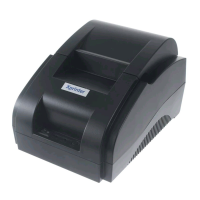
Details the POS58 printer's design, speed, low noise, reliability, and wide applications in various sectors.
Highlights key features like ESC/POS command protocol, low-noise thermal printing, and layout flexibility.
Provides essential safety notices for operating the printer, including warnings about hot parts and static electricity.
Lists crucial safety precautions for handling the printer, power cord, and accessories to prevent damage or injury.
Outlines detailed technical specifications including print method, speed, paper width, resolution, interface, and operating conditions.
Explains how to connect the power adapter, interface cable, and cash drawer to the printer's rear panel.
Provides step-by-step instructions with illustrations for correctly installing the paper roll.
Guides the user through the process of installing the printer driver from the included CD-ROM.
Describes the two available methods for driving the thermal series printer, including direct port usage.
Details the procedure for cleaning the printer head, including when to clean and the steps involved.
Provides important notices regarding power cord safety during maintenance and handling of the printer head surface.
 General
| Print Method | Direct Thermal |
|---|---|
| Print Width | 48mm |
| Print Speed | 90mm/sec |
| Interface | USB |
| Paper Width | 57.5±0.5mm |
| Paper Thickness | 0.06-0.08mm |
| Cash Drawer Control | DC 12V/1A |
| Power Supply | External Power Adapter |
| Resolution | 203 DPI |
| Column Capacity | 32 columns |
| Power | DC 12V |
| Printer Type | Receipt Printer |

 To Next Page