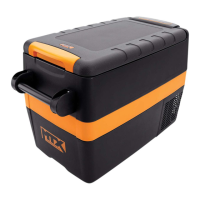
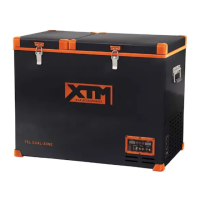
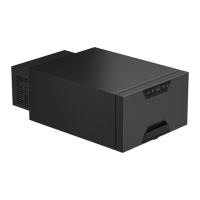
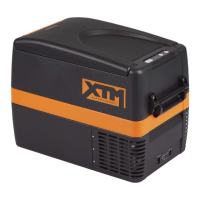
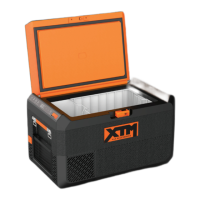
This document describes the CFR1001XTM portable fridge, a 12L 4x4 accessory designed for cooling food and beverages in various vehicles and outdoor settings.
Function Description
The CFR1001XTM is a portable fridge designed for private use in cars, 4WDs, caravans, mobile homes, campervans, and boats. It is intended to cool food and beverages and should be set up and used in dry, weather-protected areas. The fridge can function as either a refrigerator or a freezer, depending on the temperature setting. It is equipped with an electronic control system that prevents polarity reversal and a multi-level Battery Protection system to prevent excessive discharge of the vehicle battery. The unit automatically switches off if the power source voltage falls below the set Battery Protection cut-out and restarts when the voltage reaches the cut-in setting.
Important Technical Specifications
- Part No.: CFR1001XTM
- Manufacturer No.: BD/C12 DC
- Gross Capacity: 12L
- Climatic Category: T
- Rated Voltage - DC: 12V / 24V DC
- Rated Current - DC: 3.8A / 1.9A
- USB Outlet: 5V @ 2A DC
- Power of Lamp: < 1W
- Refrigerant: R134a - 18g
- Blowing Agent: Cyclopentane
- Operating Temperature Range: -10°C to +55°C ambient temperature
- Maximum Air Humidity: 90%
- Maximum Continuous Operating Angle: 30°
- Fuse: 15A blade fuse at the power input socket
- Battery Protection Settings:
- 12V DC Input:
- High: Cut Out 11.8V, Cut In 13.1V
- Medium: Cut Out 10.7V, Cut In 12V
- Low: Cut Out 10.0V, Cut In 11.6V
- 24V DC Input:
- High: Cut Out 24.5V, Cut In 25.8V
- Medium: Cut Out 23.2V, Cut In 24.5V
- Low: Cut Out 22V, Cut In 23.6V
Usage Features
- Power On/Off: Press and hold the power button to turn the fridge ON. Press and hold for 3 seconds to turn it OFF.
- Temperature Setting: Press the SET button once, then use the UP and DOWN arrows to adjust the desired temperature. The compressor will activate when the internal cabinet temperature is 0.5 to 1.5 degrees above the set temperature and run until it is 0.5 to 1.5 degrees below the set temperature.
- Battery Protection Setting: Press the SET button twice, then use the UP and DOWN arrows to select the desired battery protection level (High, Medium, Low). The selection will flash 4 times to confirm. It is recommended to set Battery Protection to LOW when using a DC power supply.
- Display: The LCD control panel displays the current cabinet temperature, Battery Protection setting, Cooling Speed setting, and current input voltage.
- Connectivity: Connects to a 12V/24V DC power source via the supplied 1.5m DC power cord. Direct connection to the battery is recommended for optimum performance and efficiency.
- USB Outlet: Features a 5V @ 2A DC USB outlet for charging small electronic devices.
- Solar Panel Compatibility: The fridge can be used with solar panels for recharging the DC power source. However, it must be connected to a suitable DC battery, and the solar panels then connected to the battery. Direct connection to solar panels is not supported. Recommended solar panel kits are 100 to 200 watts.
- Generator Compatibility: The fridge should never be connected directly to a generator. It must operate directly from a battery. When charging the battery using a digital or inverter type generator, a 'smart battery charger' (fully automatic, spark proof, reverse polarity protected) should be connected directly to the AC power output of the generator.
- Storage Tips:
- Avoid storing fresh and frozen foods right beside each other to prevent spoilage or freezing.
- Do not store glass bottles or liquids at 0°C or lower temperatures to prevent shattering.
- Store fruits and vegetables closer to the top of the cabinet where it is slightly warmer.
- Keep the cabinet as full as possible to improve efficiency and reduce power consumption. Replace finished products with bottles of water or similar to fill empty spaces.
- Minimize door openings to prevent warm air from entering the cabinet.
- When in a car or trailer, keep the appliance away from direct sunlight and ensure adequate ventilation to guarantee efficient power consumption and performance.
Maintenance Features
- Cleaning: The fridge should be cleaned prior to initial use and periodically thereafter. Use a cloth slightly moistened with lukewarm water. Avoid getting water into the seals or damaging the electronics. Dry the fridge with a cloth after cleaning.
- Cleaning Agents: DO NOT use solvents, agents with sand or acid parts, brushes, graters, or hard sharp tools for cleaning.
- Power Disconnection: Always disconnect the power cord and switch OFF the fridge before cleaning.
- Long-term Storage: When storing the fridge for a long period, DO NOT fully close the lid to prevent mold and odors.
- Defrosting: Defrost the fridge on a regular basis. Never use hard or sharp implements to remove ice from the cooling compartment.
- Troubleshooting: A troubleshooting guide is provided for common issues such as the fridge not turning on, freezing contents, poor refrigeration performance, unusual noises, and display issues. This guide suggests checking power connections, fuse, temperature settings, lid seal, ventilation, and battery protection settings.
- Customer Service: For service, spare parts, product information, or assistance, contact SITRO GROUP AUSTRALIA PTY LTD at 1300 174 876 (Monday - Friday, 8:00 am - 5:00 pm AEST). Do not return the product to the place of purchase. Keep the purchase receipt for warranty claims.
- Disposal: Dispose of the fridge responsibly at the end of its working life to prevent environmental contamination. Contact your local council for recycling information.

 Need help?
 General

 To Next Page