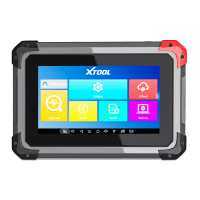
Select a network to connect to on the Wi-Fi connection page. You will need to enter the Wi-Fi password to establish Wi-Fi
connectivity.
After successfully connecting to an Internet network connection, the scan tool will jump to Factory mode to download the
software:
This download process can take several minutes, largely determined by the speed of your Internet connection. Do not power
off the scan tool or walk out of range of the Wi-Fi connection during this period.
Once the software has been downloaded, the tablet will automatically reboot and request the system language selection
again.
Since restoring the factory settings will erase the user information on your device, you need to enter the email again to
activate your device.
Shenzhen XTOOLtech Intelligent Co., LTD.(the Company) warrants to the original retail purchaser of this XTOOL device
that should this product or any part thereof during normal usage and under normal conditions be proven defective in material
or workmanship that results in product failure within ONE YEAR from the date of purchase, such defect(s) will be repaired,
or replaced (with new or rebuilt parts) with Proof of Purchase, at the Company’s option, without charge for parts or labor
directly related to the defect(s).
The Company shall not be liable for any incidental or consequential damages arising from the use, misuse, or mounting of
the device.
This warranty does not apply to:



 To Next Page