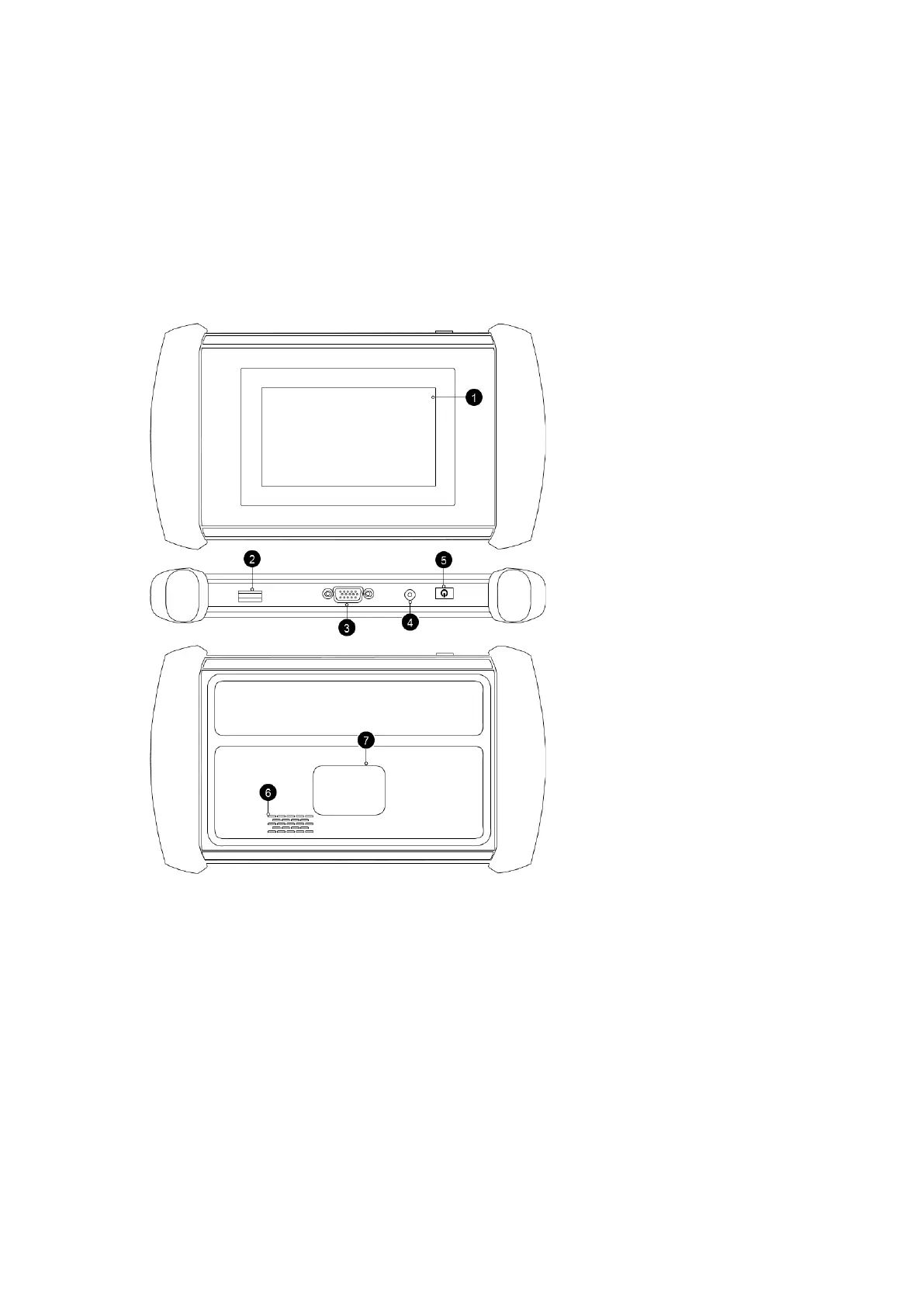
1. GENERAL INTRODUCTION
The XTOOL IP508 smart diagnostic system (referred to as the “Scan Tool”) is an advanced scanning tool based on the
Android operating system. It supports multiple languages and is suitable for different countries and regions. The advantage
of this OBD-II (On-Board Diagnostics version 2) scanner is its comprehensive functions and its ability to quickly provide the
user with more accurate diagnostic information. Some of the diagnostic functions include:
• Diagnostics function for 5 system: Engine, Transmission, SRS, ABS, EPB
• Full OBD-II functions
2. UBS Port - Available for
charging and data transfer
3. DB15 Port
4. DC Charger Port –
Reserved, compatible with
12V DC chargers
5. Power Button
2. GETTING STARTED
CONNECTING POWER
The scan tool may need to be charged before first use. Confirm the proper power adapter (either 120 VAC North American
or 240 VAC European version) is attached to the AC/DC charger.
Plug the AC/DC charger into a wall outlet
Plug the USB cable into the AC/DC charger and also into the scan tool’s USB charging port.



 To Next Page