Need help?
Do you have a question about the Xtool IP616 and is the answer not in the manual?
Details XTOOL's registered and unregistered trademarks, service marks, domain names, logos, and company names.
States that unauthorized copying or backup of the operation manual is prohibited without written consent.
Outlines the manual's purpose, liability limitations, and XTOOL's right to make changes without notice.
Provides essential safety guidelines for operating the diagnostic system, including environmental and handling precautions.
Lists important warnings regarding handling, screen care, and environmental factors to prevent damage to the unit.
Provides contact information including email, phone numbers, and official website for customer support.
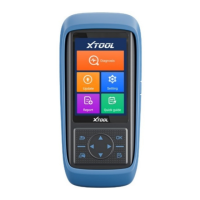
Describes the tablet unit, its front and back views, and key features like the grip and operation display.
Details the various ports on the tablet, including USB, DB15, DC charging, and the power button.
Lists the detailed technical specifications of the device, such as operating system, processor, memory, and display.
Enumerate the contents included in the product package, categorizing them into test connectors, host group, and accessories.
Guides the user through the initial setup, including language selection and product activation or trial usage.
Explains the main page of the operating system and the function/navigation buttons for device interaction.
Details the steps for restoring the device to factory settings, including language selection and Wi-Fi connection.
Instructs users to update the software after device activation to ensure access to all supported packages.
Provides a step-by-step guide on how to connect the IP616 diagnostic system to a vehicle for communication.
Explains the three methods for selecting a vehicle: AUTO SCAN, MANUAL INPUT, and SELECT VEHICLE BY AREA.
Details the core diagnostic functions supported, including reading ECU information, trouble codes, live data, and freeze frames.
Covers how to record live data, pause data playback, and capture freeze frame data for fault analysis.
Guides on resetting the Engine Oil Life System after oil changes or service lamp resets.
Details the EPB system reset procedure for brake pad replacement and maintenance.
Explains the process for resetting the steering angle sensor calibration after replacement or alignment.
Covers DPF regeneration management, including component replacement teach-in and service regeneration.
Details battery replacement registration and matching procedures for accurate battery monitoring.
Guides on setting initial throttle actuator positions and returning learned values to default.
Explains how to write fuel injector identification codes into the ECU for accurate fuel injection control.
Provides instructions for re-matching the engine and gearbox after component replacement or ECU changes.
Details the process for learning crankshaft tooth machining tolerance to improve engine misfire diagnosis and shifting.
Instructions on how to change the device language for the APP and system settings.
Guides on switching between Metric, Imperial, and U.S. units for system measurements.
Enables users to input and save workshop details, which appear on diagnostic reports.
Provides details on the firmware name, latest version, and current version of the device.
Displays information about the device, including serial number and APP version.
Explains how to view, delete, and manage diagnostic reports, including vehicle information.
Details the function for checking and deleting files on the device, recommended for professional use.
Provides steps for printing diagnostic reports using third-party printer drivers and apps.
Explains how to use TeamViewer for remote support from XTOOL's technical support center.
Troubleshooting steps for problems encountered when generating diagnostic reports.
Addresses common issues when failing to diagnose a vehicle, including connection and software version checks.
Solutions for 'Activation Failed' and 'Registration Failed' errors, often related to network stability.
Outlines the one-year limited warranty coverage for material and workmanship defects.
Details FCC compliance rules, operating conditions, and measures to correct interference.
States that the device complies with EU directives and is allowed for use in all EU member states.
Declares compliance with UK technical regulations for radio equipment, electrical safety, and EMC.
 General
| Operating System | Android |
|---|---|
| Connectivity | Wi-Fi, Bluetooth |
| Battery | 10000mAh |
| VCI Connectivity | Bluetooth |
| Supported Protocols | CAN, ISO9141, KWP2000 |


 To Next Page