Need help?
Do you have a question about the Xtool A30D and is the answer not in the manual?
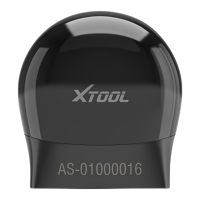
Describes the device's functions and components.
Shows and explains the main menu screen of the application.
Details the icons and functions of the main menu buttons.
Lists the technical specifications of the Anyscan scan tool.
Explains the Bluetooth communication capabilities and range.
Describes the power source and operation of the device.
Guides on downloading and installing the Anyscan application.
Explains the process of registering and activating the device.
Details how to download and update the device's software.
Instructions on connecting the scan tool to the vehicle's OBD port.
Steps for establishing a Bluetooth connection between the device and mobile.
Explains the meaning of the LED indicators on the VCI.
Describes how to delete installed software from the device.
Explains how to perform an automatic vehicle scan.
Guides on initiating a vehicle diagnosis session.
Details the various diagnosis functions available.
How to read and clear diagnostic trouble codes (DTCs).
How to view real-time vehicle data.
How to access freeze frame data related to DTCs.
How to retrieve ECU version and identification information.
Procedure for resetting the engine oil life system.
Steps for Electronic Parking Brake (EPB) system reset.
Guide for Steering Angle Sensor (SAS) calibration.
Details on Diesel Particulate Filter (DPF) regeneration.
How to reset the Battery Management System.
Procedure for Throttle Position Sensor (TPS) match.
Steps for injector coding and calibration.
Guide for gearbox matching after replacement.
How to perform gear learning for the gearbox.
How to view and print diagnosis reports.
How to replay recorded Live Data.
How to change the device's display language.
How to switch between Metric, Imperial, and U.S. units.
How to check and manage Bluetooth connection status.
How to input workshop details for reports.
How to view and update VCI firmware information.
How to check serial number and APP version.
Troubleshooting steps for Bluetooth connection issues.
Troubleshooting for issues generating diagnosis reports.
Information on file extraction for reports and videos.
Steps to manually update device firmware.
How diagnostic logs are generated and uploaded.
Steps to change the software language.
Troubleshooting steps for vehicle diagnosis failures.
Solutions for activation and registration failures.
Details the terms and conditions of the one-year limited warranty.
Outlines legal statements and privacy policies for users.
 General
| Operating System | Android |
|---|---|
| Battery | Rechargeable lithium-ion battery |
| Connectivity | Bluetooth |
| Update | Yes, via Wi-Fi |
| Supported Protocols | CAN |
| Update Method | Wi-Fi |
| Languages | Multiple languages supported |


 To Next Page