CHAPTER
Ⅱ
How to Use the X100 PAD2
1. X100 PAD2 Activation
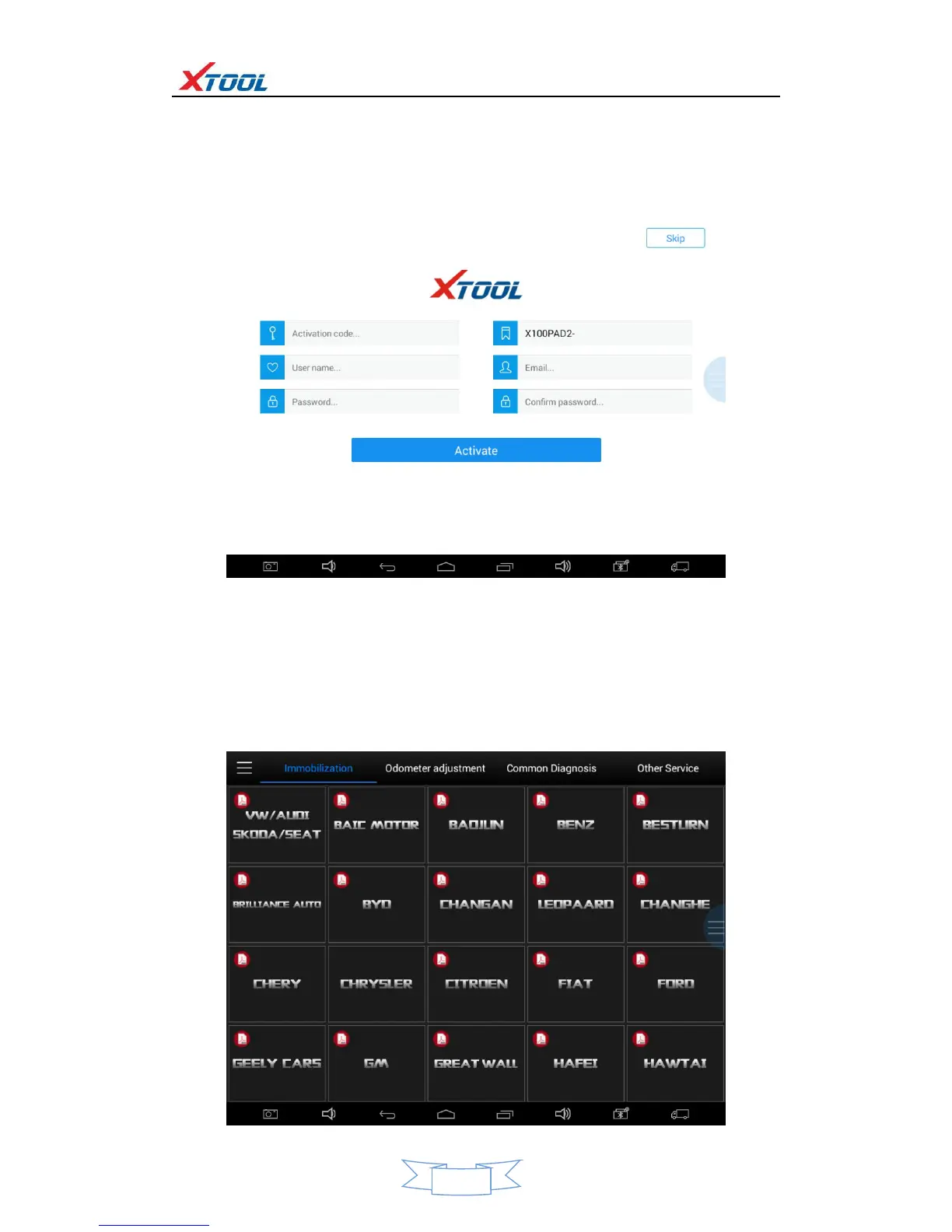
1.1. Please activate X100 PAD2 before you use it to test vehicles.
1.2. Input activation code (on the manual cover), product serial number (each device will have a serial
number and activation code), nickname (workshop’s name or user’s nickname), login account (can be
your email address or cell phone number) and password, the system will then save it. Activation is a
one time process. The diagnostic application will start after activation.
2. X100 PAD2 Main Interface and Functional Buttons Descriptions
2.1. Main Interface
Tap on X100 PAD2 application icon, the main interface and sub-menus will be shown as below.



 To Next Page