6
OK
*
OK
*
OK
*
OK
*
OK
*
OK
*
OK
*
OK
*
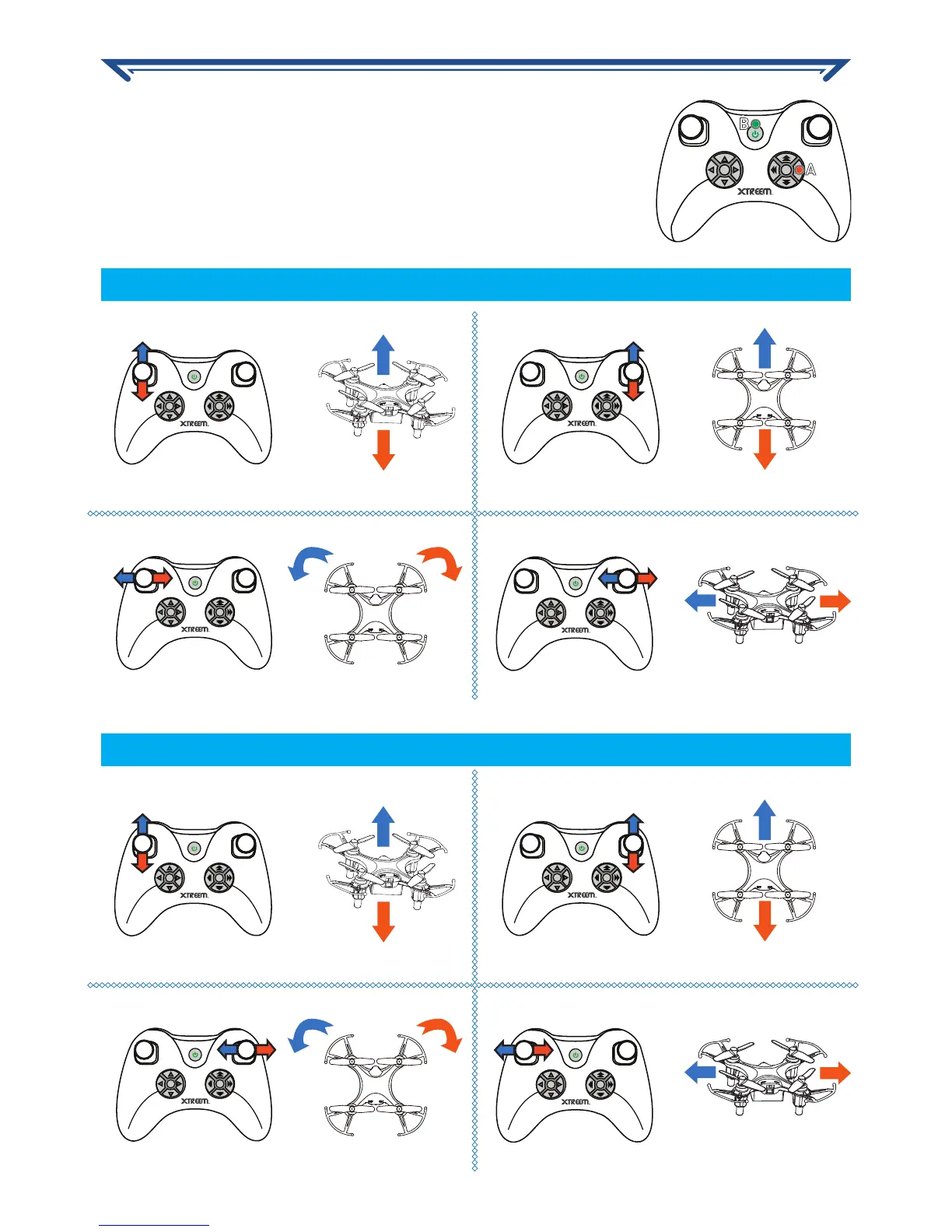
Up
Up
Down
Down
Forward
Forward
Backward
Backward
Rotate
Rotate
Side to side
Side to side
Your controller comes in two modes - mode 1 and 2. Each
time you turn on the controller, it is, by default, operating in
mode 1. You can quickly configure the controller to operate in
mode 2 before turning it on. Simply press and hold the Mode
Switch button and then power on the controller as shown on
the right.
Flight mode 1 (Default)
Flight mode 2
OK
*
A
B
USING YOUR CONTROLLER


 To Next Page