P91 Lead Acid 2U User’s Manual Uninterruptible Power Supply
Xtreme Power Conversion Corporation Page 7
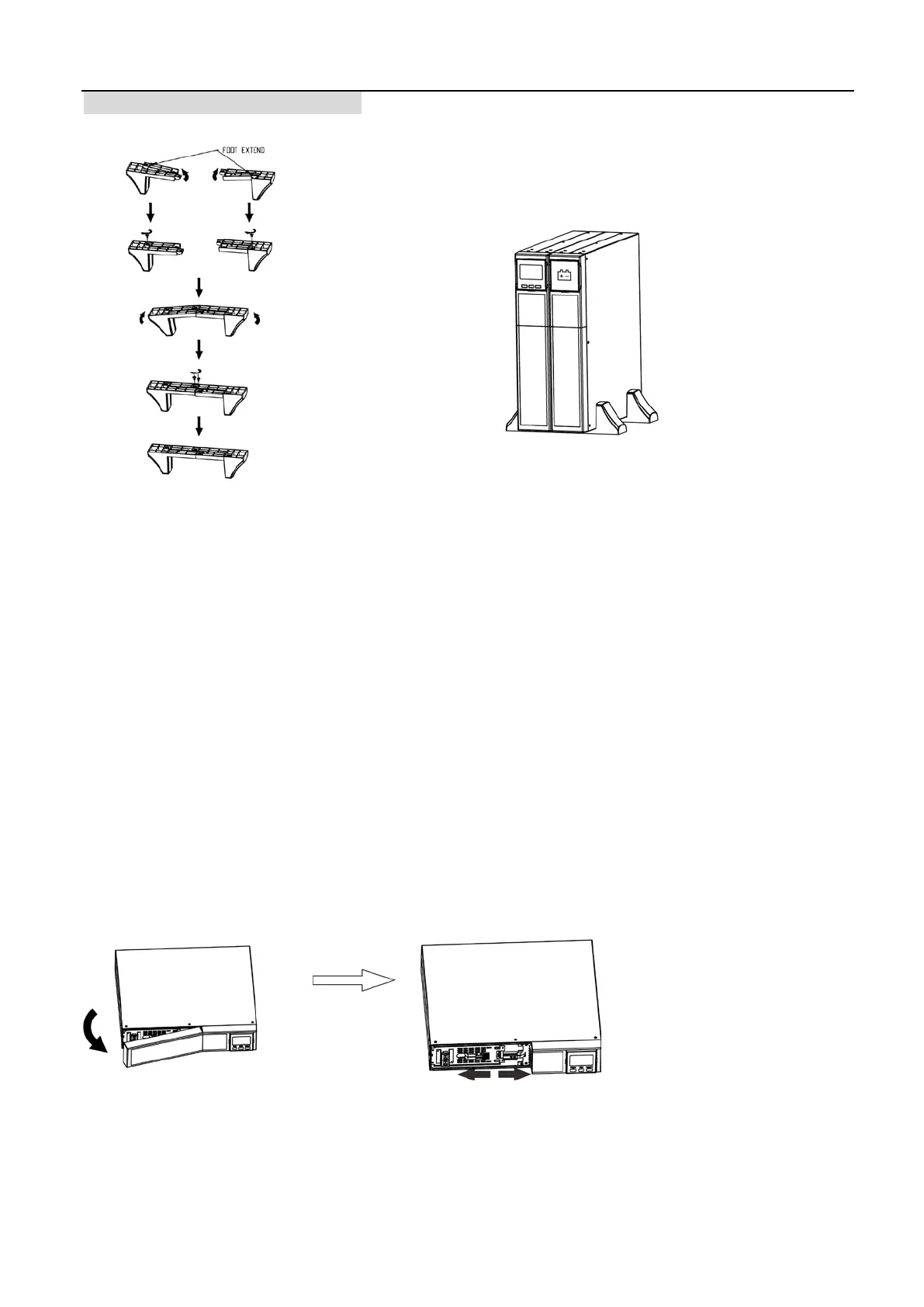
Tower Installation with battery pack
2-4. Setup the UPS
Before installing the UPS, please read below to select proper location to install UPS.
1. UPS should be placed on the flat and clean surface. Place it in an area away from vibration, dust,
humidity, high temperature, flammable liquids, gas, corrosive and conductive contaminants.
Install the UPS indoors in a clean environment, where it is away from window and door. Maintain
minimum clearance of 100mm in the bottom of the UPS to avoid dust and high temperature.
2. Place UPS:
It’s equipped with fan for cooling. Therefore, place the UPS in a well-ventilated area. It’s required to
maintain minimum clearance of 100mm in the front of the UPS and 300mm in the back and two sides
of the UPS for heat dissipation and easy-maintenance.
Step 1: External battery connection
For safety consideration, the UPS is shipped out from factory without connecting battery wires.
Before connecting to external batteries, it’s required to have the internal battery wire disconnected.
Follow the below steps to make external battery connection.
1. Turn off UPS and remove power plug from the mains.
2. Remove front panel and disconnect internal battery wire.



 To Next Page