4
OPERATION
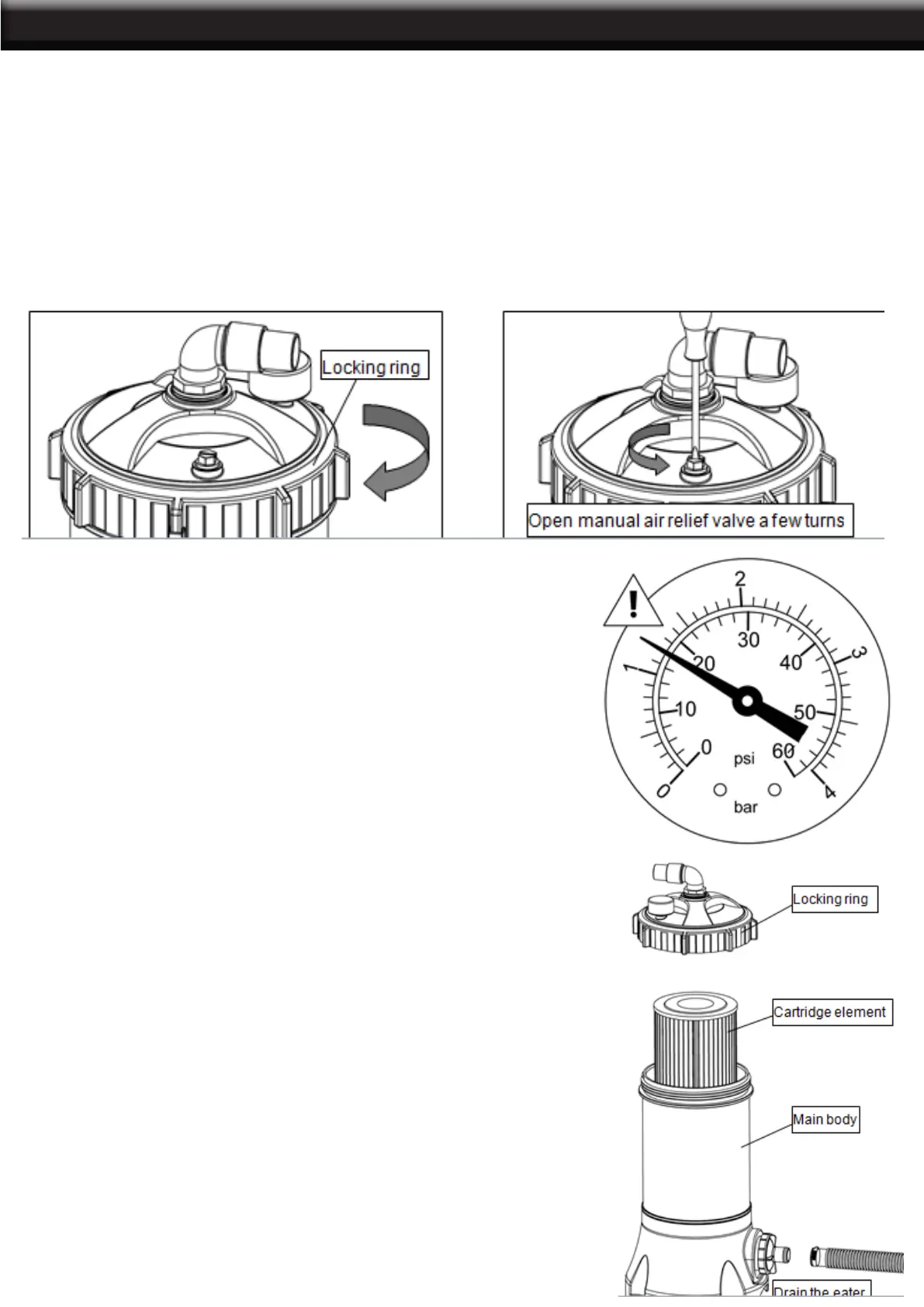
Be sure Locking ring is secure (hand tighten--only slight pressure is required).
1. Open manual air relief valve a few turns
2. All suction and discharge valves must be open when starting the system. Failure to do so could cause
severe personal injury and/or property damage.
3. Stand clear of the lter and prime and start the pump, following the manufacturer’s instructions. Air trapped
in the system will automatically vent to the pool and out air relief valve. Close air relief valve as soon as air
is vented.
4. Check if the water is running and return to pool, and check the reading of pressure gauge.
CLEAN/REPLACE CARTRIDGE
Filtration starts as soon as ow is steady through the lter.
As the lter cartridge removes dirt from the pool water, the
accumulated dirt causes a resistance to ow. As a result,
the gauge pressure will rise and the ow will decrease.
When the pressure rises 7-10 psi (.49-.70 Bar) above the
starting pressure, or when ow decreases below desired
rate, clean or replace the lter cartridge.
STARTING THE FILTER
FILTERING
1. Turn off all system circulation pumps and all electric
power on the equipment pad.
2. Set all system valves in a position to prevent water ow
to the lter.
3. Unfasten the clamp on the inlet, take off the hose, drain
the water.
(Note: To assist draining process: open air vent a few turns.)
4. Unscrew and remove locking ring (counterclock wise
direction).
5. Carefully lift off top cover to gain access to lter cartridge.
6. Lift out cartridge and clean. Or, replace with clean, spare
cartridge. (See Cleaning Cartridge.)


 To Next Page